


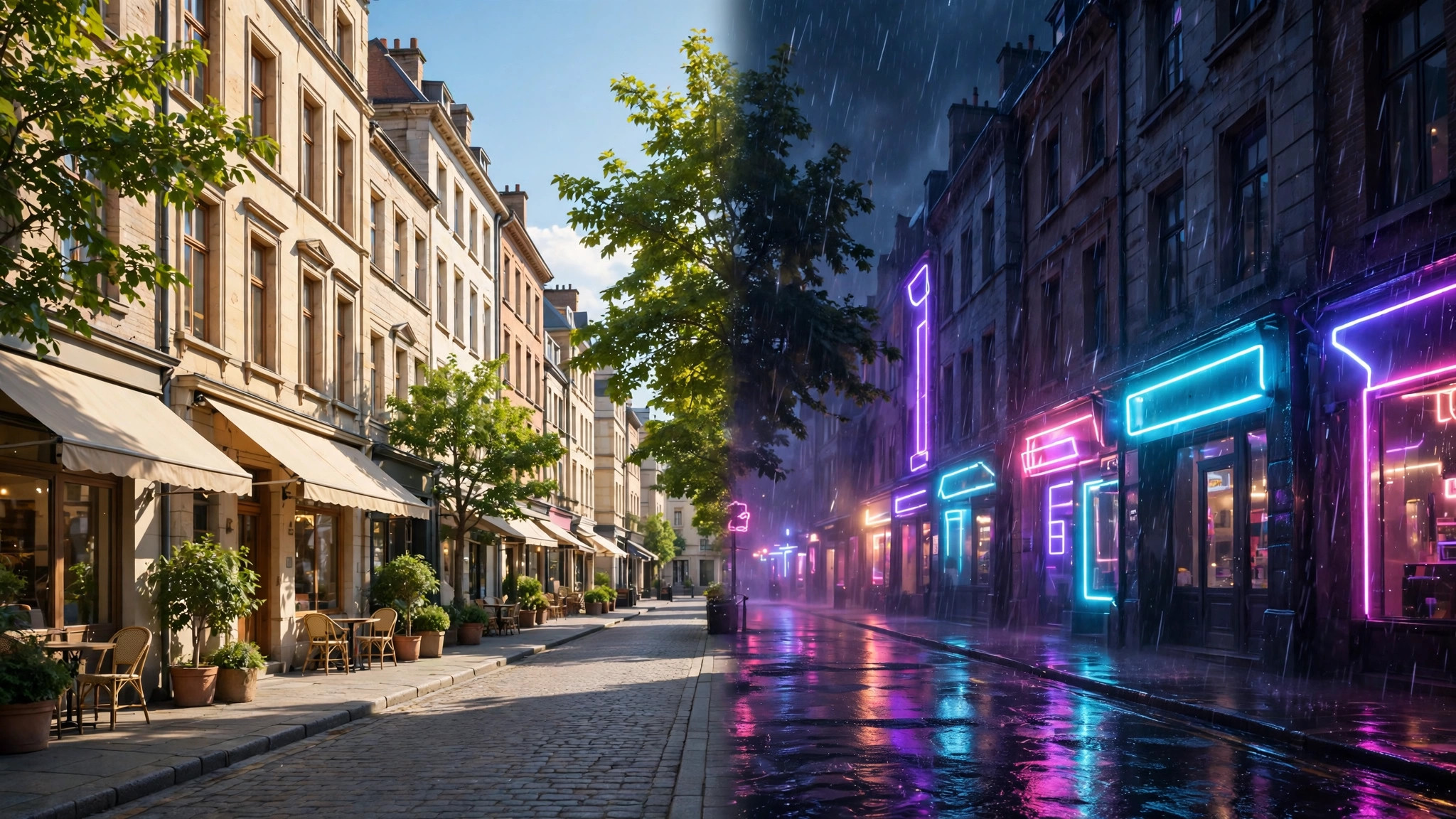
Most AI video coverage focuses on creating footage from nothing. A video to video ai generator does something arguably more useful: it takes video you already have — a phone clip, a product shoot, old footage — and transforms it. Change the style, the season, the lighting, even objects in the scene, while keeping the original motion and performance intact.
This guide explains how video-to-video generation works, what it does well, and how to get results that look intentional instead of filtered.
video to video ai generator
A video to video ai generator analyses your source footage frame by frame, understands the subjects and their motion, and re-renders the scene according to your instructions. Because the motion comes from real video, the output inherits something text-to-video cannot fake: genuine human movement, real camera work and authentic timing.
The leading platforms expose this in different ways. Runway built its Aleph model specifically for editing existing video with text instructions — relight a scene, remove or replace objects, change the weather, restyle the footage — while other platforms such as Luma offer modify modes that restyle clips with varying strength. In every case the principle is the same: your footage supplies the performance, the AI supplies a new visual reality around it.
video generating ai
The broader video generating ai field splits into three workflows, and knowing which one you are using prevents most disappointment. Text to video invents everything and suits scenes you cannot film. Image to video animates a chosen still and suits product and portrait work. Video to video transforms footage and suits restyling, restoration and localisation.
Video to video shines in four practical jobs:
- Style transfer — turn live footage into anime, claymation, watercolour or a period film look
- Scene editing — change backgrounds, weather, time of day or specific objects
- Restoration — clean up, upscale and stabilise old or low-quality footage
- Versioning — produce seasonal, regional or brand variants of one master clip
Our Runway AI guide explains how these workflows sit together inside one platform.
ai video generator from video
An ai video generator from video is only as good as its temporal consistency: the transformed elements must stay locked to the original motion across every frame. Flicker — a jacket changing colour, a face drifting, a background breathing — is the signature failure of weaker tools, and it gets worse with fast motion, occlusions and long clips.
Three habits dramatically improve consistency. Work in short segments: five-to-ten-second pieces transform more reliably than full minutes, and you can grade and join them afterwards. Choose clean source footage: stable, well-lit shots with clear subjects give the model an unambiguous performance to follow. And set transformation strength deliberately: most tools offer a slider between faithfulness and reinvention, and the middle settings usually produce the professional results — recognisably your footage, convincingly restyled.
videos ai generator
Judging a videos ai generator for transformation work requires a different eye than judging text-to-video demos. Watch the edges: hair, hands and object boundaries are where restyling breaks first. Watch the background characters and props, which cheaper models quietly redesign between frames. And watch text or logos in the scene, which almost every current tool distorts — if your footage contains signage or packaging you need to keep, mask it out of the transformation and composite it back afterwards.
Sound is the other half of the job. Most video-to-video tools transform picture only, so plan to keep your original audio track and re-sync it in your editor; the timing is unchanged, which makes this painless. For dialogue scenes, lip movement comes from the source performance and survives restyling far better than generated speech would.
For a stylised, music-led take on transformation, our Kaiber AI guide covers a platform built around turning footage and audio into animated visuals.
A Practical Video-to-Video Workflow
Start by preparing the source: trim to the exact seconds you need, stabilise if the platform does not, and export at the highest quality you have. Write the transformation as a short, concrete instruction — “night scene, neon city light, rain” restyles more predictably than “make it cooler.” Generate at moderate strength first, review at full size, and only then push the effect further or add a second pass for a stronger look.
Keep your project organised like a film pipeline: source clips, transformation settings and exports in dated folders, with the settings for every approved shot written down. Video-to-video results depend on those settings as much as on the prompt, and the shot a client approves is always the one you will be asked to extend next month. Our look at MagicLight AI shows how one platform packages similar transformation features for storytellers.
Video-to-Video for Marketing and Social Content
Marketers have adopted transformation faster than any other group, because it multiplies the value of footage they already own. One product shoot becomes a spring version, a holiday version and a night-market version without another camera day. A spokesperson video recorded once can be restyled for different regions or campaign themes while the performance — the expensive part — stays identical. Influencers restyle the same clip for different platforms, matching each platform’s visual culture while keeping their posting schedule intact.
The economics explain the enthusiasm. A reshoot costs a crew, a location and a day; a transformation costs minutes of computing. That gap changes creative behaviour: teams test five visual directions and keep the winner, instead of betting the whole budget on one look decided in a meeting. The risk to manage is sameness — when every brand can restyle everything, distinctive art direction becomes more valuable, not less, and the teams that win are the ones with a point of view, not just a tool.
Restoration and Upscaling of Old Footage
Families and archives use the same technology for the opposite purpose: not changing footage, but rescuing it. AI restoration can stabilise shaky home movies, reduce the noise and scratches of old transfers, upscale low-resolution clips for modern screens and, in some tools, interpolate frames so jerky early video plays smoothly. Colourisation of black-and-white material is also offered by some platforms, though it should be labelled as an interpretation, especially for historical material.
Work conservatively with irreplaceable footage. Always transform a copy, keep the untouched original archived, and prefer gentle settings: aggressive restoration invents detail that was never there, smoothing faces into wax and guessing at textures. The best restorations feel like a cleaned window onto the original moment — clearer, but honest. For family archives, that honesty matters more than sharpness, because the footage’s value is memory, not production quality.
Costs and Access, in Plain Terms
Video-to-video features usually sit inside the same credit systems as the rest of AI video. Expect free trials or small free allowances for testing, with transformation priced by the second and by resolution, much like generation. Because you are processing existing footage rather than generating from scratch, some platforms price it more cheaply than flagship text-to-video; others place their best editing models on premium tiers only.
The budgeting habit that works: estimate your finished minutes per month, test the transformation on your most representative ten seconds, note the exact credit cost, and scale that number. Surprises in this category come from re-rendering whole clips for small changes, so build the habit of transforming short test segments first, approving the look, and only then committing the full footage and the full spend.
Troubleshooting Common Problems
When a transformation disappoints, diagnose before regenerating. Muddy or smeared detail usually means the source was too compressed; re-export the original at higher quality rather than asking the AI to invent what a low-bitrate file destroyed. Faces changing between frames points to transformation strength set too high for footage with small or distant faces — lower the strength, or crop tighter so the face occupies more of the frame. Colours drifting across a long clip suggests segment boundaries; transform with overlapping handles and grade the joined result as one piece.
Motion looking rubbery is the signature of an over-ambitious style jump — live footage to heavy anime, for instance — where the model must reinvent too much per frame. Step through an intermediate style instead: a mild stylisation first, then the full look in a second pass. And when nothing works on a particular shot, accept the professional verdict: some footage resists transformation, and a conventional edit of the original will serve the project better than a fifth regeneration. Knowing when to stop is part of the craft.
Frequently Asked Questions
What is video to video AI used for?
Restyling footage into new visual styles, changing scenes and objects, restoring old video, and creating variants of one shoot for different seasons, regions or campaigns.
Is video to video better than text to video?
For anything involving real people, products or performances, yes — the motion and timing come from genuine footage. Text to video is better for scenes that do not exist and cannot be filmed.
Why does my transformed video flicker?
Weak temporal consistency, usually worsened by long clips, fast motion or extreme transformation strength. Work in shorter segments and reduce the strength setting.
Can AI change the background of my video?
Yes. Background replacement is one of the most reliable video-to-video jobs, especially with a clear subject and stable camera.
Do I keep the sound from my original video?
Yes. Picture transformation does not alter timing, so your original audio track drops back onto the transformed video in any editor.
Finally, keep perspective on what this technology replaces. Video-to-video does not eliminate cinematography; it amortises it. A well-shot original keeps giving — new styles, new markets, new seasons — long after the production day ends, which rewards people who shoot carefully and archive properly. The creators building real leverage in this category are not the ones generating the most footage; they are the ones with the best originals and the discipline to transform them thoughtfully. Shoot once, shoot well, and let the machines handle the variations: that is the working philosophy this tool makes possible, and it is a genuinely new way to think about a footage library. Start with one favourite clip this week, transform it three different ways, and you will understand the category better than a month of reading about it could ever teach you in practice.
Conclusion
A video to video ai generator turns footage you already own into new creative material: restyled, relit, restored and re-versioned, with real performances intact. Work in short segments, control the transformation strength, protect text and logos, and record your settings like a professional pipeline. Master those habits and a single afternoon’s shoot can supply a season of distinct-looking content.
