


Welcome to liliumnews. Creating high-quality videos traditionally requires scripting, filming, editing, animation skills, and expensive software. AI-powered video tools are changing this process by helping creators produce engaging content faster and with fewer technical requirements. MagicLight AI is one such platform designed to simplify AI video creation through automated storytelling, scene generation, and creative assistance.
MagicLight AI helps users transform ideas, scripts, and written content into complete videos using artificial intelligence. It is designed for creators, marketers, educators, and businesses that want to produce animated videos, storytelling content, and social media videos without complex editing workflows. This review explains what MagicLight AI is, how it works, its main features, benefits, limitations, pricing considerations, and whether it is a useful AI video generator for modern content creators.
What Is MagicLight AI?
MagicLight AI is an AI-powered video creation platform that helps users generate videos from text prompts, scripts, and creative ideas. Instead of manually creating every scene, users can provide instructions and allow artificial intelligence to assist with storytelling, visuals, characters, and video production. The platform focuses on simplifying video creation for people who may not have professional editing skills. It can be useful for creating animated stories, educational videos, marketing content, social media videos, and other forms of digital content.
How MagicLight AI Uses Artificial Intelligence
MagicLight AI uses AI technology to support different stages of video production, including: Unlike traditional video editing software that requires users to collect footage, design animations, and arrange scenes manually, AI video generators automate many parts of the production process. The platform focuses on simplifying video creation for people who may not have professional editing skills. It can be useful for creating animated stories, educational videos, marketing content, social media videos, and other forms of digital content.
- Generating ideas from text prompts
- Creating video scenes automatically
- Developing AI-generated characters
- Supporting storytelling structures
- Adding narration and visual elements
The goal is to reduce the time required to move from an idea to a finished video.
Read also: Artlist AI Explained: Features, Pricing, Pros, Cons & Complete Guide
How Does MagicLight AI Work?
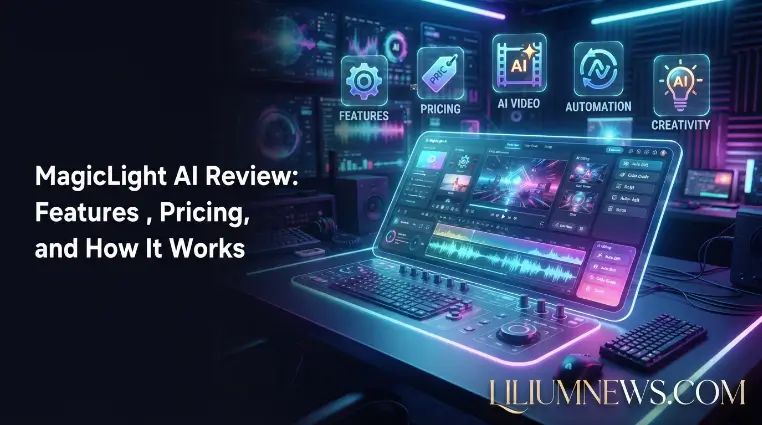
The process of creating videos with MagicLight AI follows a simple workflow. Users provide creative input, and the platform helps transform that information into a complete video project. The platform focuses on simplifying video creation for people who may not have professional editing skills. It can be useful for creating animated stories, educational videos, marketing content, social media videos, and other forms of digital content.
Step 1: Enter Your Idea or Script
ated story, product advertisement, social media content, or a YouTube video. The AI uses this information to understand the purpose and structure of the video before generating visual scenes and other elements.
Writing a detailed prompt helps MagicLight AI create more accurate and engaging results. By including details such as the target audience, video style, characters, tone, and key message, users can guide the AI toward producing content that better matches their vision. A clear prompt reduces the need for major edits and improves the overall quality of the final video.
Step 2: Generate Scenes and Characters
After receiving the user’s idea or script, MagicLight AI analyzes the content and organizes it into separate scenes. The AI identifies important parts of the story and creates suitable visual elements, helping transform simple text into a structured video with a clear flow. This makes the video creation process faster and easier, especially for users who do not have advanced editing skills.
For storytelling projects, maintaining consistent characters and visual styles is important for creating a professional-looking video. MagicLight AI helps keep characters, scenes, and design elements aligned throughout the video, making the overall story feel more connected and engaging for viewers.
Step 3: Add Voice, Animation, and Effects
AI video creation often includes additional elements such as: After receiving the user’s idea or script, MagicLight AI analyzes the content and organizes it into separate scenes. The AI identifies important parts of the story and creates suitable visual elements, helping transform simple text into a structured video with a clear flow. This makes the video creation process faster and easier, especially for users who do not have advanced editing skills.
- AI-generated narration
- Background visuals
- Animations
- Scene transitions
- Creative effects
These features help turn simple text into a more engaging video experience.
Step 4: Export and Publish Your Video
After reviewing the generated video, users can make final adjustments to improve the quality and accuracy of the content. They can refine scenes, modify visuals, adjust narration, or make other edits before exporting the finished project. This review process helps ensure that the final video matches the original idea and delivers a better viewing experience.
Once the video is finalized, users can export and share it across different platforms such as YouTube, social media channels, websites, or professional presentations. This makes MagicLight AI useful for creators, businesses, and educators who need to produce and distribute video content efficiently.
Key Features of MagicLight AI
MagicLight AI provides several AI-powered features that simplify the video creation process. From generating videos from text to creating characters, animations, and voiceovers, the platform helps users produce engaging content with less manual work. These features make it useful for creators, marketers, educators, and businesses looking for a faster way to create professional videos. The main features of MagicLight AI include AI text-to-video generation, long-form video creation, character consistency, AI voice narration, and customizable creative styles. These tools allow users to turn simple ideas or scripts into complete videos while maintaining better storytelling quality and visual appeal.
AI Text-to-Video Generation
One of the main features of MagicLight AI is its ability to convert written ideas into videos. Users can start with a simple concept or script and allow the AI to generate visual content around that information.
This feature is useful for:
- Short educational videos
- Social media content
- Marketing videos
- Story-based projects
Text-to-video technology reduces the need for advanced animation or editing knowledge.
Long-Form AI Video Creation
Many AI video tools focus only on short clips, but creators often need longer content for platforms such as YouTube and online courses. MagicLight AI supports workflows that help users create extended storytelling videos by organizing multiple scenes and maintaining a consistent narrative structure. Text-to-video technology reduces the need for advanced animation or editing knowledge.
This can benefit:
- YouTube creators
- Course developers
- Storytellers
- Businesses creating training materials
AI Character Consistency
Character consistency is important for animated storytelling. When characters change appearance between scenes, the final video can feel less professional. AI character generation tools help creators maintain recognizable characters throughout different parts of a video. Text-to-video technology reduces the need for advanced animation or editing knowledge.
This is especially useful for:
- Animated stories
- Children’s content
- Brand characters
- Educational videos
AI Voice and Narration Tools
Voiceovers can improve video quality by making content easier to understand and more engaging. Character consistency is important for animated storytelling. When characters change appearance between scenes, the final video can feel less professional. AI character generation tools help creators maintain recognizable characters throughout different parts of a video.
AI narration features can help creators produce:
- Explainer videos
- Story videos
- Product demonstrations
- Faceless YouTube content
Creators can use AI voices to reduce the time and cost associated with professional voice recording.
Templates and Creative Styles
Templates and visual styles help users create videos faster by providing ready-made creative directions. Character consistency is important for animated storytelling. When characters change appearance between scenes, the final video can feel less professional. AI character generation tools help creators maintain recognizable characters throughout different parts of a video.These options can help beginners produce professional-looking content without starting from scratch.
Common applications include:
- Promotional videos
- Animated presentations
- Social media content
- Storytelling videos
How to Create a Video Using MagicLight AI
Creating a video with MagicLight AI usually involves three main stages: planning your idea, generating the video content, and improving the final result. Users start by deciding the purpose, style, and message of their video before providing the necessary instructions to the AI. After the content is generated, users can review the scenes, make adjustments, and refine different elements such as visuals, narration, and structure. This workflow helps creators produce high-quality videos more efficiently while keeping control over the final output.
Choose Your Video Type
Before creating a video, decide what type of content you need. After the content is generated, users can review the scenes, make adjustments, and refine different elements such as visuals, narration, and structure. This workflow helps creators produce high-quality videos more efficiently while keeping control over the final output.
Examples include:
- YouTube videos
- Animated stories
- Educational lessons
- Product promotions
- Marketing videos
- Social media clips
A clear goal helps the AI generate more relevant results.
Write a Clear Prompt
The quality of an AI-generated video depends heavily on the instructions provided. After the content is generated, users can review the scenes, make adjustments, and refine different elements such as visuals, narration, and structure. This workflow helps creators produce high-quality videos more efficiently while keeping control over the final output.
A strong prompt should include:
- Video topic
- Target audience
- Visual style
- Character details
- Tone and mood
- Video length
For example, instead of writing:
“Create a story video”
A better prompt would be:
“Create a short animated story about a young explorer discovering a hidden forest, using a cinematic style with colorful characters.”
Review and Improve AI Output
AI-generated videos usually require human review. After generation, creators should check: After the content is generated, users can review the scenes, make adjustments, and refine different elements such as visuals, narration, and structure. This workflow helps creators produce high-quality videos more efficiently while keeping control over the final output.
- Scene accuracy
- Character consistency
- Voice quality
- Story flow
- Visual appeal
Small edits can significantly improve the final result.
Benefits of Using MagicLight AI
MagicLight AI offers several advantages for modern content creators. After the content is generated, users can review the scenes, make adjustments, and refine different elements such as visuals, narration, and structure. This workflow helps creators produce high-quality videos more efficiently while keeping control over the final output. AI automation reduces the time needed for scripting, designing scenes, and preparing animations.
Faster Video Production
AI automation makes video creation easier by handling time-consuming tasks such as writing scripts, organizing scenes, and preparing animations. With MagicLight AI, users do not need to complete every production step manually because the platform can assist with different parts of the creative process. This helps reduce the effort required to create professional-looking videos.
By automating repetitive tasks, creators can focus more on developing creative ideas, improving storytelling, and making their videos more engaging. MagicLight AI helps save time, allowing users to produce more content while maintaining an efficient video creation workflow.
Beginner-Friendly Workflow
Users without professional video editing experience can create videos easily with MagicLight AI by providing simple instructions, ideas, or written content. Traditional video production often requires knowledge of editing software, animation tools, and design techniques, but AI automation reduces the complexity of these tasks. The platform helps beginners transform their concepts into videos by assisting with scene creation, visuals, animations, and other creative elements.
This beginner-friendly approach allows users to focus on their ideas and storytelling rather than learning complicated editing skills. Whether someone wants to create YouTube videos, educational content, marketing videos, or animated stories, MagicLight AI provides a simpler workflow that makes video production more accessible for people with different skill levels.
Lower Production Costs
AI tools can help reduce video production costs by lowering the need for expensive software, professional equipment, and large production teams. With traditional video creation, users often need advanced editing programs, cameras, recording equipment, and specialized skills to produce high-quality content. MagicLight AI simplifies many of these processes by providing AI-powered tools for generating and improving videos.
By automating tasks such as scene creation, animation, and content development, MagicLight AI allows individuals and small businesses to create professional-looking videos with fewer resources. This makes AI video creation a more affordable option for creators who want to produce quality content without investing heavily in traditional production methods.
Supports Different Content Types
The platform can help create various types of videos, including: AI tools can help reduce video production costs by lowering the need for expensive software, professional equipment, and large production teams. With traditional video creation, users often need advanced editing programs, cameras, recording equipment, and specialized skills to produce high-quality content. MagicLight AI simplifies many of these processes by providing AI-powered tools for generating and improving videos.
- Educational content
- Marketing videos
- Animated stories
- Social media videos
- YouTube content
Improves Content Scaling
AI-powered video tools help creators produce more videos in less time by automating different stages of the content creation process. Instead of spending hours on manual tasks such as scripting, scene planning, and editing, users can rely on MagicLight AI to speed up production and maintain a consistent workflow.
This makes AI especially useful for content automation, where creators need to publish videos regularly across platforms like YouTube, social media, and websites. By reducing production time and simplifying repetitive tasks, MagicLight AI allows creators to focus on generating new ideas and expanding their content output
Frequently Asked Questions
What is MagicLight AI used for?
MagicLight AI is used for creating AI-generated videos from text, scripts, and creative ideas. It can help produce storytelling videos, animations, educational content, and marketing videos.
Can MagicLight AI create YouTube videos?
Yes, MagicLight AI can help creators develop YouTube content by generating scenes, animations, and video elements that support different video formats.
Is MagicLight AI free?
MagicLight AI availability and pricing options can change over time. Users should check the official platform for current free features and subscription plans.
Does MagicLight AI generate animated videos?
Yes, MagicLight AI focuses on AI-powered video creation and can support animated and storytelling-based content formats.
Is MagicLight AI suitable for beginners?
Yes, beginners can use MagicLight AI because it simplifies many parts of video production through automated AI features.
Conclusion
MagicLight AI makes video creation easier by using artificial intelligence to turn simple ideas, written scripts, and creative concepts into complete visual content. Instead of starting the entire production process from scratch, creators can provide their topic or instructions, and the AI helps generate scenes, characters, animations, and other video elements. This reduces the time and effort needed to create engaging videos while allowing users to focus more on storytelling and creativity.
For YouTubers, marketers, educators, and beginners, MagicLight AI provides an accessible way to create professional-looking videos without requiring advanced editing skills or technical knowledge. It can help produce content such as educational videos, promotional videos, animated stories, and social media content more efficiently. Although human creativity and editing decisions are still necessary to achieve the best results, MagicLight AI works as a helpful assistant that speeds up production and supports creators in developing high-quality digital content.
