


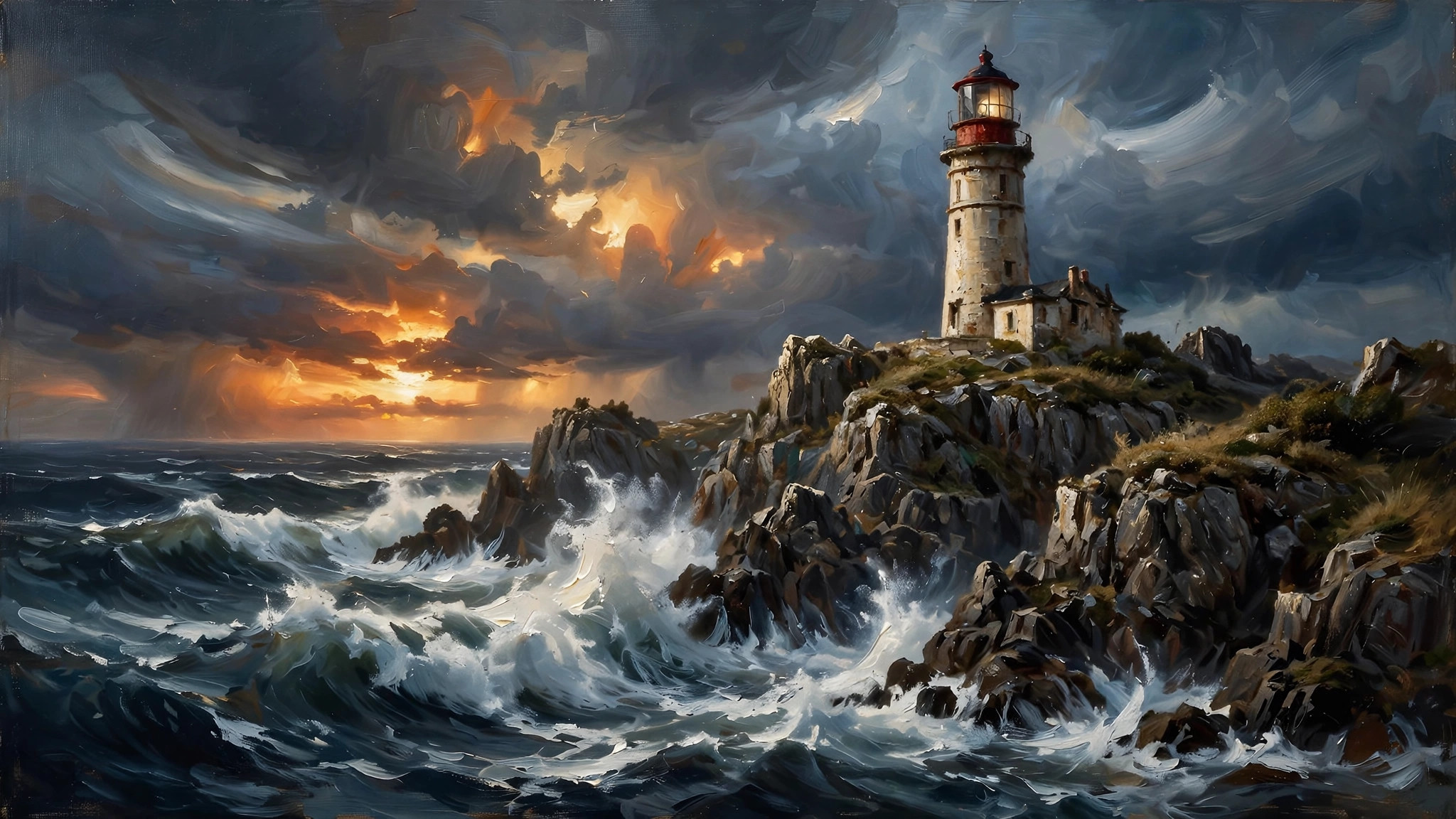
Few tools changed digital art as quickly as the midjourney ai art generator. Type a description — “a lighthouse in a storm, painted like a nineteenth-century oil painting” — and within a minute you receive four detailed images that would have taken an artist hours. Midjourney became famous for the beauty of its default style: even careless prompts tend to produce striking results.
This guide explains how Midjourney works, what it costs, and how to write prompts that produce art, photographs and illustrations you can actually use.
midjourney ai art generator
The midjourney ai art generator is a subscription service that creates images from text prompts. You work either in the web app at midjourney.com or through Discord, where the original community still shares prompts and results publicly.
Unlike most rivals, Midjourney has no free tier: you subscribe first, then generate. In return, paid plans include commercial rights to the images you create. The service is rented by GPU time rather than by image count — each plan includes a monthly allowance of fast generation time, and slower “relax” generation on higher plans.
Midjourney’s strength is aesthetic judgement. Where many generators produce technically correct but bland images, Midjourney leans into composition, lighting and texture, which is why it remains a favourite for book covers, album art, concept design and social media visuals.
midjourney ai photo generator
Used as a midjourney ai photo generator, the platform creates convincing photographic images: portraits, product shots, architecture and landscapes. Photorealism depends heavily on prompting. Adding camera language — lens focal length, depth of field, film stock, lighting setup — steers the model toward photographic results and away from its painterly default.
Two habits separate convincing photos from obvious AI images. First, describe imperfections: natural skin texture, slight asymmetry and realistic clutter make portraits believable. Second, control the light: name the time of day and light source, because consistent shadows are what the eye checks first.
Remember the public-by-default catch: on the Basic and Standard plans, images you generate are visible to other users in the community gallery. Private “stealth” generation is reserved for the Pro and Mega plans, which matters for client work and unreleased products.
midjourney ai picture generator
As a general midjourney ai picture generator, the workflow is built around variation. Every prompt returns a grid of four images. You then upscale the strongest one, create variations of it, zoom out to expand the scene, or pan to extend it sideways. This explore-then-refine loop is the heart of the tool, and it rewards users who treat the first grid as raw material rather than the finished product.
Useful built-in controls include:
- Aspect ratio — set wide banners, square posts or tall phone wallpapers directly in the prompt
- Image prompts — supply a reference image to guide composition or style
- Style references — reuse the visual mood of an image you like across new subjects
- Character references — keep a character’s face consistent across scenes (behaviour varies by model version)
- Upscalers — increase resolution for printing and large displays
If you are comparing generators broadly, our overview of text to image AI explains how the main platforms differ in style and workflow.
midjourney photo generator
The midjourney photo generator workflow has a few practical quirks worth knowing. Prompts are not conversations: the model reads descriptive keywords better than sentences, so “elderly fisherman, weathered hands, morning fog, harbour” outperforms a flowing paragraph. Commas act as soft separators between ideas, and the order matters — details placed early in the prompt carry more weight.
Negative prompting works differently from other platforms. Instead of describing what to avoid in the text, you add a dedicated parameter that lists excluded elements, such as text, watermarks or extra fingers. Learning the small set of parameters — aspect ratio, stylisation strength, chaos for wilder variation, and the no-list — covers ninety percent of daily use.
Our review of Getimg AI covers a rival editor-generator hybrid, useful if you want inpainting and outpainting tools alongside generation.
midjourney ai art
The community around midjourney ai art is part of the product’s value. Public galleries function as a living prompt library: find an image you admire, study the prompt that produced it, and adapt the ingredients to your own subject. Styles range from ukiyo-e prints and 1970s film photography to architectural visualisation and scientific illustration.
For consistent projects — a comic, a brand campaign, a children’s book — build a personal style recipe: a fixed set of style words, a reference image and the same model settings for every generation. Consistency, not single-image brilliance, is what separates a hobby session from a production workflow.
Pricing is straightforward. Midjourney’s four plans are Basic at $10/month, Standard at $30, Pro at $60 and Mega at $120, with roughly 20% off when you pay annually. The tiers mainly buy GPU time — about 3.3 fast hours on Basic, 15 on Standard, 30 on Pro and 60 on Mega — plus unlimited relax-mode generation from Standard upward and stealth mode on Pro and Mega. Extra fast time can be bought by the hour. One important terms detail: companies earning over $1 million a year must be on Pro or Mega to own their generated assets.
Before subscribing, compare with the editor-first approach in our PicLumen AI review, which suits users who prefer a free tier and a simpler interface.
Prompt Recipes for Common Subjects
Certain prompt patterns reliably produce strong results, and collecting them saves hours of trial and error. For portraits, combine the subject, expression, setting and light: “young botanist in a greenhouse, soft morning light, shallow depth of field, editorial photography.” For landscapes, lead with the place and weather, then the mood and rendering style: “misty pine valley at dawn, layers of blue ridges, minimalist travel poster.”
For product images, describe the hero object, the surface, the background and the lighting rig in studio terms. For illustration, name the medium first — watercolour, ink, flat vector, 3D render — because the medium word steers the entire image more than any other token. Save your winning prompts in a document; a personal prompt library is the closest thing Midjourney has to a reusable preset, and professionals guard theirs like recipes.
Midjourney vs the Alternatives
Midjourney’s rivals win in specific situations. Editor-integrated generators such as Leonardo and Firefly suit users who want generation inside a design workflow with layers and inpainting. Open models that you can run yourself appeal to technical users who need unlimited local generation and full control. Chatbot-attached image tools win on convenience, because the generator sits inside a conversation you already use.
Midjourney keeps its crown on raw aesthetic quality and community. Its default look — rich light, confident composition, filmic colour — means beginners get portfolio-worthy results sooner than anywhere else. If your priority is beauty per prompt rather than editing depth or a free tier, it remains the tool to beat, and the one most other generators are compared against in reviews like this one.
Getting Consistent Characters and Series
The hardest professional task is making the same character appear across many images. Midjourney offers character reference features that carry a face from one generation into the next, and results improve when you also fix the descriptive recipe: same age, hairstyle, clothing and style words in every prompt. Generate your hero image first, approve it, and only then produce the series from it — changing the reference mid-project restarts your consistency from zero. Expect some drift and budget extra generations for selection; even professionals generate several candidates per final image.
Common Beginner Mistakes
New users waste their GPU hours in predictable ways. The first is prompting like a search engine: a string of disconnected nouns gives the model no hierarchy, so early, important details get lost. Write prompts as layered descriptions instead — subject, action or pose, environment, light, style.
The second mistake is ignoring the grid. Beginners upscale the first acceptable image instead of exploring variations, yet the best image is often a variation of a variation. The third is changing everything at once: when a result is close, adjust one element per generation so you learn what each word does. The fourth is skipping the community gallery, which is a free education — every public image carries the prompt that made it, and studying ten good prompts teaches more than an hour of random experimentation.
Finally, beginners forget to keep records. Save the prompt, settings and seed details of your best work in a notebook or document. Midjourney projects grow quickly from experiments into portfolios, and the image you cannot reproduce is the one clients always ask you to repeat. A little bookkeeping turns luck into a repeatable process, which is the real difference between casual users and professionals on this platform.
Frequently Asked Questions
Is Midjourney free?
No. Midjourney ended its free trial and now requires a paid subscription, starting with the Basic plan at $10/month.
Can I sell images I create with Midjourney?
Yes. Paid plans include commercial rights and you own the assets you create, with the caveat that large companies (over $1M annual revenue) must subscribe to Pro or Mega.
Do I need Discord to use Midjourney?
No. You can sign up and generate entirely in the web app. Discord remains available and is where much of the community activity happens.
Why do my images look painterly when I want photos?
Midjourney’s default style leans artistic. Add photographic details — camera type, lens, film or lighting terms — and reduce the stylisation setting to push results toward realism.
What is relax mode?
A slower generation queue available on Standard plans and above. Relax generations do not consume your fast GPU hours, making them effectively unlimited, but they take longer during busy periods.
One last practical note on ownership and privacy. Images generated on paid plans are yours to use commercially under Midjourney’s terms, but the public gallery means other users can see and build on your creations unless you pay for stealth mode. If an image is destined for a trademarked product, an unreleased campaign or a private commission, that visibility matters more than the small price difference between plans. Choose your tier with your confidentiality needs in mind, not only your generation volume, and the tool will serve hobbyists and studios equally well.
Conclusion
The midjourney ai art generator remains the benchmark for beautiful AI imagery: a subscription buys you commercial rights, a mature web and Discord workflow, and a default aesthetic that flatters almost any prompt. Learn its variation workflow, master the handful of core parameters, and keep your prompts descriptive and ordered. Whether your goal is gallery-worthy art or a steady stream of marketing visuals, Midjourney rewards the small effort its style of prompting requires.
