


welcome to liliumnews. Creating professional content has become faster and more accessible thanks to AI-powered creative tools. Artlist AI combines artificial intelligence with Artlist’s extensive creative ecosystem, allowing creators to generate images, videos, voiceovers, music, and other digital assets from a single platform. Whether you’re a YouTuber, marketer, filmmaker, or business owner, the platform is designed to simplify content production without sacrificing quality.
Unlike many standalone AI tools, Artlist AI integrates multiple creative features with royalty-free assets and commercial licensing. This makes it a practical choice for professionals who need an efficient workflow for producing videos, advertisements, social media content, and marketing materials. In this guide, you’ll learn what Artlist AI is, its key features, how it works, and whether it’s the right solution for your creative projects.
What Is Artlist AI?
Artlist AI is a collection of artificial intelligence tools developed by Artlist to help creators produce high-quality digital content more efficiently. Instead of relying on multiple platforms for image generation, video editing, voiceovers, and music, users can access these capabilities within a single creative ecosystem. The platform combines AI-powered content generation with Artlist’s well-known library of royalty-free music, stock footage, sound effects, templates, and creative assets. This integration helps users complete projects faster while maintaining a consistent production workflow.
Overview
The AI Suite is built for both beginners and experienced professionals. Its interface focuses on simplicity, allowing users to create content using text prompts or existing media. Rather than replacing creativity, Artlist AI is designed to speed up repetitive tasks such as generating visuals, creating voice narration, producing background music, and enhancing videos. Creators still control the final output while AI handles much of the time-consuming production process. The platform supports various creative tasks, including:
- AI image generation
- AI video creation
- AI voice generation
- AI avatars
- AI dubbing
- AI music generation
- Stock asset integration
Because these tools work together, users can manage an entire content production workflow without constantly switching between different applications.
Who Is Artlist AI Designed For?
One of the platform’s strengths is its flexibility. It serves a wide range of creative professionals and businesses. Video creators can generate visuals, enhance videos, add royalty-free music, and create voiceovers for tutorials, reviews, documentaries, and entertainment content. Marketing professionals can quickly produce promotional videos, social media campaigns, advertisements, and branded visuals while maintaining a consistent creative style.
Companies can create training materials, product demonstrations, presentations, and promotional content with fewer production resources. Creative agencies benefit from faster turnaround times, allowing teams to deliver client projects more efficiently while reducing production costs. Freelance designers, editors, and content creators can complete projects using one platform instead of subscribing to several different AI services.
Read also: Best Text to Image AI Guide: Tools, Prompts & How It Works
Key Features of Artlist AI
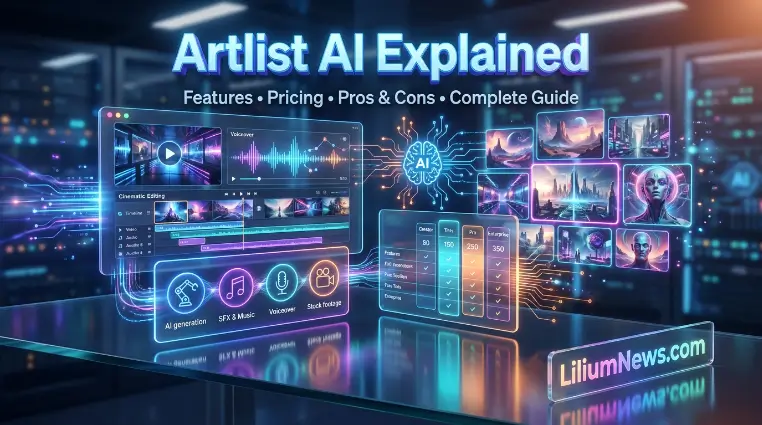
One of the biggest reasons creators choose Artlist AI is its wide range of integrated creative tools. Instead of specializing in a single AI capability, the platform combines several production features into one ecosystem. This saves time and simplifies content creation for individuals and teams. Rather than replacing creativity, Artlist AI is designed to speed up repetitive tasks such as generating visuals, creating voice narration, producing background music, and enhancing videos. Creators still control the final output while AI handles much of the time-consuming production process. Below are the most important features offered by Artlist AI.
AI Image Generator
The AI Image Generator creates original images from text prompts. Users simply describe the desired scene, style, colors, or subject, and the AI generates visuals within seconds. Rather than replacing creativity, Artlist AI is designed to speed up repetitive tasks such as generating visuals, creating voice narration, producing background music, and enhancing videos. Creators still control the final output while AI handles much of the time-consuming production process.
Common use cases include:
- Blog featured images
- Social media graphics
- Marketing campaigns
- Product concepts
- Presentation visuals
- Website illustrations
- Creative artwork
The tool supports multiple artistic styles, enabling creators to experiment with realistic, cinematic, digital art, or illustrated designs depending on their project requirements.
AI Video Generator
Creating professional videos often requires hours of editing. Artlist AI simplifies this process by generating videos using AI-assisted workflows. Rather than replacing creativity, Artlist AI is designed to speed up repetitive tasks such as generating visuals, creating voice narration, producing background music, and enhancing videos. Creators still control the final output while AI handles much of the time-consuming production process.
Users can create:
- Promotional videos
- Product showcases
- Social media clips
- Short advertisements
- Educational videos
- Brand presentations
The AI assists with visual generation, transitions, scene composition, and other creative elements, reducing manual editing time.
AI Voice Generator
Voiceovers are essential for tutorials, presentations, advertisements, and explainer videos. Rather than replacing creativity, Artlist AI is designed to speed up repetitive tasks such as generating visuals, creating voice narration, producing background music, and enhancing videos. Creators still control the final output while AI handles much of the time-consuming production process. Artlist AI includes an AI Voice Generator capable of producing natural-sounding narration from written text.
Users can customize voice characteristics based on project needs.
Common applications include:
- YouTube narration
- Online courses
- Product demonstrations
- Podcasts
- Business presentations
- Marketing videos
AI Music Generator
Music plays a major role in audience engagement. Artlist AI helps creators generate background music suitable for different moods and project types. Rather than replacing creativity, Artlist AI is designed to speed up repetitive tasks such as generating visuals, creating voice narration, producing background music, and enhancing videos. Creators still control the final output while AI handles much of the time-consuming production process.
Possible styles include:
| Content Type | Music Style |
| Corporate videos | Inspirational |
| Travel videos | Cinematic |
| Gaming content | Electronic |
| Vlogs | Chill |
| Advertisements | Energetic |
| Documentaries | Emotional |
Because the platform integrates with Artlist’s royalty-free music library, users can streamline the process of finding or generating audio that complements their projects.
AI Avatars
AI avatars allow users to create digital presenters without filming real people. Rather than replacing creativity, Artlist AI is designed to speed up repetitive tasks such as generating visuals, creating voice narration, producing background music, and enhancing videos. Technology Creators still control the final output while AI handles much of the time-consuming production process. Because the platform integrates with Artlist’s royalty-free music library, users can streamline the process of finding or generating audio that complements their projects.
This feature is useful for:
- Corporate training
- Educational videos
- Customer support tutorials
- Product walkthroughs
- Online learning
Businesses can produce professional-looking presentations while minimizing filming costs and production time.
AI Dubbing
Expanding content to international audiences often requires translating and recording voiceovers in multiple languages. Artlist AI simplifies this process through AI dubbing. Instead of manually recording every language version, users can generate dubbed audio for supported languages, helping creators reach global audiences more efficiently. Because the platform integrates with Artlist’s royalty-free music library, users can streamline the process of finding or generating audio that complements their projects.
Typical use cases include:
- International marketing
- Educational content
- Business training
- Product videos
- Social media campaigns
Stock Asset Library Integration
One of the biggest advantages of Artlist AI is its integration with Artlist’s extensive stock asset library. Because the platform integrates with Artlist’s royalty-free music library, users can streamline the process of finding or generating audio that complements their projects. Instead of manually recording every language version, users can generate dubbed audio for supported languages, helping creators reach global audiences more efficiently.
Users can access:
- Royalty-free music
- Sound effects
- Stock footage
- Video templates
- LUTs
- Creative assets
This eliminates the need to search multiple websites for production resources, creating a smoother workflow from concept to final export.
Why This Matters
Many AI platforms are excellent at generating images, videos, or voiceovers, but they often stop there. After creating the content, users still need to search for royalty-free music, stock footage, sound effects, or editing assets on other websites. This can make the creative process more time-consuming, especially for content creators and businesses working on multiple projects with tight deadlines.
Artlist AI simplifies this workflow by bringing AI-powered content creation and a large library of licensed creative assets together in one platform. Instead of switching between different tools, users can generate content, enhance it with royalty-free music, stock footage, and sound effects, and prepare it for commercial use all in one place. This integrated approach saves time, improves consistency, and helps creators complete professional-quality projects more efficiently
How to Use Artlist AI
Whether you’re creating marketing videos, YouTube content, social media posts, or business presentations, Artlist AI is designed to make the creative process simple. Most AI tools within the platform follow a similar workflow, allowing users to generate high-quality content with just a few steps. Artlist AI simplifies this workflow by bringing AI-powered content creation and a large library of licensed creative assets together in one platform. Instead of switching between different tools, users can generate content, enhance it with royalty-free music, stock footage, and sound effects, and prepare it for commercial use all in one place. This integrated approach saves time, improves consistency, and helps creators complete professional-quality projects more efficiently
Create an Account
The first step is to sign up for an Artlist account and choose a subscription that includes access to the AI Suite. After logging in, you’ll find the available AI tools on your dashboard, where you can easily switch between image generation, video creation, voiceovers, music, and other creative features. Before starting your project, take a few minutes to explore the interface and available tools. Understanding where each feature is located can help you work more efficiently and speed up your creative workflow.
Artlist AI simplifies this workflow by bringing AI-powered content creation and a large library of licensed creative assets together in one platform. Instead of switching between different tools, users can generate content, enhance it with royalty-free music, stock footage, and sound effects, and prepare it for commercial use all in one place. This integrated approach saves time, improves consistency, and helps creators complete professional-quality projects more efficiently
Choose the Right AI Tool
The platform offers different AI tools for different creative needs. Selecting the right one depends on the type of content you want to create. The quality of your AI-generated content largely depends on the prompt you provide. A clear and detailed prompt gives the AI better instructions, resulting in more accurate and visually appealing outputs.
| Goal | Recommended Tool |
| Create images | AI Image Generator |
| Produce videos | AI Video Generator |
| Generate narration | AI Voice Generator |
| Create background music | AI Music Generator |
| Make presenter videos | AI Avatars |
| Translate videos | AI Dubbing |
Using the appropriate tool from the beginning helps achieve better results and reduces the need for extensive editing later.
Write Effective Prompts
The quality of your AI-generated content largely depends on the prompt you provide. A clear and detailed prompt gives the AI better instructions, resulting in more accurate and visually appealing outputs. Using the appropriate tool from the beginning helps achieve better results and reduces the need for extensive editing later.
When writing prompts, include important details such as:
- Subject or main object
- Background or setting
- Artistic style
- Camera angle
- Lighting
- Colors
- Mood
- Aspect ratio
Generate Your Content
After writing your prompt, submit it to the appropriate AI tool in Artlist AI. The platform quickly processes your instructions and generates content based on your description. Depending on the tool you choose, the output may be a high-quality image, a short video, a realistic voiceover, or an original music track. This allows creators to produce content much faster than traditional methods while still maintaining creative control.
If the generated result doesn’t fully match your expectations, don’t worry. You can refine your prompt by adding more details, changing the style, adjusting the lighting or composition, or specifying a different tone. Generating multiple versions and experimenting with different prompts often leads to better-quality results. Once you’re satisfied with the output, you can continue editing, combine it with other Artlist assets, and download it for your project.
Edit and Download
Once your content has been generated, take a few moments to review it carefully before downloading. Check that the visuals, voiceovers, music, or other elements align with your original vision and project goals. If needed, you can refine the content by adjusting the AI-generated output, replacing assets, or enhancing it with royalty-free music, stock footage, and sound effects from Artlist AI‘s extensive library. These final edits can significantly improve the overall quality of your project.
After you’re happy with the finished content, export it in the format that best suits your intended platform, such as YouTube, Instagram, TikTok, or a business presentation. Before publishing, do one final quality check to ensure everything looks and sounds professional. Spending a few extra minutes on this review can help you avoid mistakes and deliver polished, high-quality content that makes a strong impression on your audience.
Benefits of Using Artlist AI
Artlist AI offers much more than basic AI-powered content generation. It brings together advanced AI tools, a vast collection of licensed creative assets, and a streamlined workflow within a single platform. Instead of relying on multiple applications for image creation, video editing, voiceovers, music, and stock assets, creators can manage their entire production process in one place. This not only simplifies content creation but also helps reduce the time and effort required to complete projects. Whether you’re a YouTuber, marketer, freelancer, or business owner, Artlist AI provides the tools needed to create professional-quality content efficiently. By combining AI-generated visuals with royalty-free music, stock footage, sound effects, and other creative resources, the platform enables users to produce polished content that’s ready for publishing or commercial use.
Faster Content Creation
Traditional content production usually requires multiple software tools for creating visuals, editing videos, recording voiceovers, and finding suitable music or sound effects. Managing different platforms can take extra time and make the workflow more complicated, especially for creators handling frequent projects.
Artlist AI simplifies this process by bringing multiple creative capabilities together in one platform. Users can generate images, videos, music, and voiceovers without constantly switching between different tools. This streamlined workflow helps reduce production time, improves efficiency, and allows creators to focus more on developing ideas and producing high-quality content.
All-in-One Creative Platform
Instead of using multiple applications for different stages of content creation, users can access Artlist AI‘s generation tools along with its large library of royalty-free creative assets in one place. This allows creators to generate content, find suitable music, add stock footage, and complete their projects without constantly moving between different platforms.
By combining these features into a single workflow, Artlist AI makes project management easier and more organized. Creators can save time, reduce production complexity, and focus more on improving the quality of their final content. This streamlined workflow helps reduce production time, improves efficiency, and allows creators to focus more on developing ideas and producing high-quality content.
Frequently Asked Questions
Is Artlist AI free?
Artlist AI is generally available through paid subscription plans. The available features, usage limits, and included resources depend on the selected plan. Users should check the latest Artlist pricing information for current options.
Can I use Artlist AI content commercially?
Yes, Artlist AI supports commercial content creation through its licensing options. However, users should review the specific terms of their subscription to confirm whether their intended use is covered.
Does Artlist AI include stock footage and music?
Yes, one of the main advantages of Artlist AI is its connection with Artlist’s royalty-free creative library, which includes resources such as music, sound effects, stock footage, and other production assets.
Is Artlist AI good for YouTube creators?
Yes, Artlist AI can be useful for YouTube creators because it helps with multiple parts of the production process, including visuals, music, voiceovers, and other creative elements needed for professional videos.
How is Artlist AI different from other AI tools?
Unlike many AI platforms that focus on a single function, Artlist AI combines multiple AI creation tools with a large library of licensed assets. This makes it useful for creators who want a complete content production workflow.
Conclusion
Artlist AI combines powerful artificial intelligence tools, royalty-free creative assets, and an efficient production workflow to help creators develop professional-quality content faster. By bringing features such as image generation, video creation, AI voice tools, music generation, and other creative resources into one platform, it simplifies the entire content creation process.
For content creators, marketers, businesses, and video professionals, Artlist AI can save valuable production time while providing the tools needed for modern digital projects. Although AI can speed up many creative tasks, human editing and creative direction remain important for achieving the best results. With the right approach, Artlist AI offers a practical solution for anyone looking to improve their content workflow and produce engaging, high-quality content more efficiently.
