


Welcome to liliumnews. Artificial intelligence is transforming video creation, and Google Flow AI is one of Google’s most advanced tools for AI-powered filmmaking. Built to help creators, marketers, educators, and businesses produce cinematic videos from simple text prompts, it combines several of Google’s latest AI models into a single creative workspace. Whether you’re producing short clips for social media or planning a more detailed visual story, Flow simplifies the entire production process.
Unlike traditional video editing software, Google Flow AI focuses on generating scenes, maintaining character consistency, and giving users greater control over camera movements and storytelling. Powered by Google’s cutting-edge generative AI technology, it enables beginners and professionals alike to create high-quality videos faster, without requiring advanced editing skills. This guide explains how it works, its key features, pricing, and how to get the best results.
What Is Google Flow AI?
Google Flow AI is Google’s AI-powered filmmaking platform that enables users to create high-quality cinematic videos using simple text prompts. Instead of relying on traditional video production tools, Flow combines Google’s advanced generative AI models to help creators generate, edit, and refine videos within a single workspace. The platform is designed for content creators, marketers, educators, businesses, and filmmakers who want to produce professional-looking videos quickly and efficiently.
Overview
Google Flow AI is Google’s AI-powered filmmaking platform designed to generate cinematic videos using natural language prompts. Instead of manually recording footage or editing every frame, users describe the scenes they want, and Flow generates video clips using Google’s advanced AI models.
The platform is designed to make professional video production more accessible by combining text generation, image generation, and video generation into one streamlined workflow. This allows creators to move from an idea to a finished scene much more quickly than with traditional editing software.
Who Created Google Flow?
Google Flow AI was developed by Google and is powered by advanced generative AI technologies from Google DeepMind. It combines several of Google’s most powerful AI models into a single creative platform, enabling users to generate high-quality videos from simple text prompts with impressive realism and consistency.
Rather than being just a text-to-video generator, Google Flow AI acts as a complete AI filmmaking workspace. It integrates video generation, image creation, prompt assistance, and scene development, allowing multiple AI models to work together seamlessly. This unified approach helps creators produce cinematic sequences, maintain visual consistency, and streamline the entire video production process from concept to final output.
Why Google Built Flow
Google developed Google Flow AI to make AI-powered filmmaking and visual storytelling more accessible. Traditional video production often involves expensive equipment, complex editing software, and advanced technical skills. Google Flow AI removes many of these barriers by allowing users to create cinematic videos simply by describing their ideas in natural language, while the AI handles much of the creative process.
The platform is also designed to overcome common challenges in AI video generation. It helps maintain consistent characters across scenes, creates smooth and coherent story sequences, and offers greater control over camera angles and movements. As a result, creators can produce professional-looking videos more efficiently while maintaining a consistent visual style throughout their projects.
Read also: AI Plus Smartphone: Features, Benefits, and Buying Guide 2026
How Google Flow AI Works
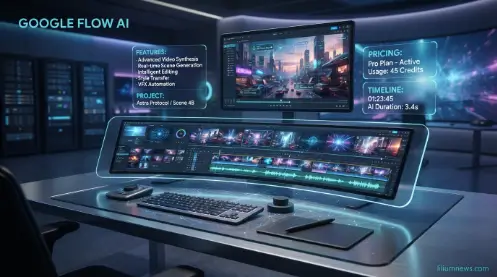
Creating videos with Google Flow AI involves multiple advanced AI models working together to transform simple text prompts into realistic, cinematic video content. By combining Google’s cutting-edge generative AI technologies, the platform streamlines the creative process and helps users produce high-quality videos with greater consistency and control. At the core of Google Flow AI is Google’s Veo video generation model. Veo converts text descriptions into high-quality video clips while understanding elements such as
Veo Video Generation
At the core of Google Flow AI is Google’s Veo video generation model. Veo converts text descriptions into high-quality video clips while understanding elements such as: Creating videos with Google Flow AI involves multiple advanced AI models working together to transform simple text prompts into realistic, cinematic video content.
- Camera angles
- Character movement
- Lighting
- Background environments
- Object interactions
- Cinematic styles
Instead of generating random visuals, Veo interprets prompts with a stronger understanding of storytelling and scene composition.
Gemini Integration
Gemini enhances the creative workflow by helping users generate detailed prompts and organize story ideas. By combining Google’s cutting-edge generative AI technologies, the platform streamlines the creative process and helps users produce high-quality videos with greater consistency and control. At the core of Google Flow AI is Google’s Veo video generation model.
Rather than writing lengthy instructions manually, creators can use Gemini to:
- Expand simple ideas into detailed prompts
- Improve scene descriptions
- Refine dialogue
- Build story sequences
- Generate creative variations
This makes the platform easier to use for beginners while giving experienced creators more flexibility.
Imagen Image Generation
Flow also incorporates Google’s Imagen model for image generation. Before producing videos, creators can generate reference images, concept art, or visual assets that help maintain a consistent artistic style throughout a project. By combining Google’s cutting-edge generative AI technologies, the platform streamlines the creative process and helps users produce high-quality videos with greater consistency and contr
Imagen is particularly useful for:
- Character concepts
- Environment design
- Scene references
- Background elements
- Mood boards
These visuals can support a more cohesive creative workflow.
AI Workflow
A typical Google Flow AI project follows these steps: By combining Google’s cutting-edge generative AI technologies, the platform streamlines the creative process and helps users produce high-quality videos with greater consistency and control. At the core of Google Flow AI is Google’s Veo video generation model.
- Create a new project.
- Describe the desired scene using a text prompt.
- Refine the prompt with Gemini if needed.
- Generate supporting visuals with Imagen.
- Produce cinematic video clips using Veo.
- Review the generated scenes.
- Edit or regenerate clips for improved results.
- Export the final video.
This integrated workflow reduces the need to switch between multiple AI tools and helps creators move from concept to finished video more efficiently.
Main Features of Google Flow AI
One of the biggest strengths of Google Flow AI is its ability to combine multiple AI-powered filmmaking capabilities within a single platform. By combining Google’s cutting-edge generative AI technologies, the platform streamlines the creative process and helps users produce high-quality videos with greater consistency and control. At the core of Google Flow AI is Google’s Veo video generation model. Instead of relying on separate tools for scripting, image generation, and video creation, Flow brings these processes together into a unified creative experience.
AI Video Creation
The primary feature of Google Flow AI is text-to-video generation. Users simply describe the type of scene they want, and the platform generates cinematic video clips based on that description. By combining Google’s cutting-edge generative AI technologies, the platform streamlines the creative process and helps users produce high-quality videos with greater consistency and control. At the core of Google Flow AI is Google’s Veo video generation model.
The AI understands a wide range of creative elements, including:
- Lighting conditions
- Camera movements
- Character actions
- Environmental details
- Visual styles
- Scene composition
Because the platform interprets natural language, users do not need advanced technical knowledge to create professional-looking videos. More detailed prompts generally produce more accurate and visually consistent results.
Character Consistency
One of the common challenges with AI-generated videos is maintaining the same character across multiple scenes. By combining Google’s cutting-edge generative AI technologies, the platform streamlines the creative process and helps users produce high-quality videos with greater consistency and control. At the core of Google Flow AI is Google’s Veo video generation model. Google Flow AI is designed to improve character consistency so that appearances, clothing, and visual identity remain coherent throughout a project.
This is particularly valuable for:
- Storytelling
- Brand mascots
- Marketing campaigns
- Educational videos
- Short films
- Episodic content
Maintaining consistent characters helps create a more polished and believable viewing experience.
Google Flow AI Pricing
The pricing of Google Flow AI depends on the Google AI subscription plan you choose. Google may update pricing, available features, and usage limits over time, so it’s always best to check the official pricing page for the latest information. Technology Maintaining consistent characters helps create a more polished and believable viewing experience. Some users may receive limited access to Google Flow AI or trial features, depending on their region and Google’s current rollout. Free access typically includes basic functionality with lower generation limits.
Free Access
Google may offer limited access to Google Flow AI in selected regions or through promotional trials. Users with free access can explore the platform’s core features, such as creating AI-generated videos from text prompts and experimenting with the interface. However, the free version typically includes restrictions on video generation credits, usage limits, supported AI models, or the number of projects that can be created.
For users who want to create videos regularly or access advanced filmmaking features, Google provides paid AI subscription plans with higher usage limits and additional capabilities. As Google Flow AI continues to roll out globally, free access, supported features, and availability may differ by country and change over time. Checking Google’s official website is the best way to confirm the latest access options and plan details.
Google AI Pro
Google AI Pro is designed for individual creators, freelancers, educators, and professionals who need access to advanced AI tools with higher usage limits than the free plan. It includes access to premium AI models that support more powerful video generation, making it suitable for users who create content regularly for social media, marketing, education, or creative projects.
With Google AI Pro, users typically receive a larger allocation of AI generation credits each month, allowing them to produce more videos and experiment with different prompts without quickly reaching usage limits. Depending on Google’s current offerings, the plan may also include access to additional AI features, faster processing, and improved performance, making it a practical choice for creators who require consistent and reliable AI-powered video production.
Google AI Ultra
Google AI Ultra is Google’s highest-tier AI subscription plan, designed for professionals, creative agencies, businesses, and filmmakers who need the most advanced AI capabilities and the highest generation limits. It provides access to Google’s latest generative AI models, allowing users to create high-quality videos, images, and other AI-generated content with greater efficiency and flexibility. This plan is ideal for users who work on large-scale projects or produce AI content regularly.
With Google AI Ultra, subscribers typically receive a substantially larger allocation of AI generation credits, enabling them to generate more videos and use advanced features without quickly reaching monthly limits. The plan may also include priority access to Google’s newest AI technologies, faster processing, and premium creative tools as they become available. For professionals who depend on AI for content creation, marketing, or filmmaking, Google AI Ultra offers the performance and resources needed to support demanding production workflows.
AI Credits
Google Flow AI uses an AI generation credit system to manage access to its video creation features. Every time you generate or regenerate a video, a certain number of credits are deducted from your account. The number of credits used depends on several factors, including the video’s length, resolution, selected AI model, and the complexity of the generation request. This system helps allocate computing resources efficiently while giving users flexibility based on their subscription plan.
To make the most of your available credits, it’s a good idea to plan your projects carefully and refine your prompts before generating videos. Well-written prompts often produce better results on the first attempt, reducing the need for multiple regenerations that consume additional credits. Regularly monitoring your remaining credits also helps ensure you can complete larger projects without unexpected interruptions.
Google Flow AI vs Other AI Video Generators
Choosing the right AI video platform depends on your creative needs. Here’s how Google Flow AI compares with some of the leading alternatives. To make the most of your available credits, it’s a good idea to plan your projects carefully and refine your prompts before generating videos. Well-written prompts often produce better results on the first attempt, reducing the need for multiple regenerations that consume additional credits. Regularly monitoring your remaining credits also helps ensure you can complete larger projects without unexpected interruptions.
| Feature | Google Flow AI | Runway | Pika | Kling AI | OpenAI Sora |
| Text-to-video | Yes | Yes | Yes | Yes | Yes |
| AI image integration | Yes | Limited | Limited | Limited | Limited |
| Prompt assistance | Yes | No | No | No | Limited |
| Cinematic camera controls | Advanced | Good | Good | Good | Advanced |
| Character consistency | Strong | Good | Moderate | Good | Strong |
| Integrated AI workflow | Excellent | Good | Moderate | Moderate | Good |
Common Mistakes Beginners Make
Many new users can significantly improve their results with Google Flow AI by avoiding a few common mistakes. Issues such as writing vague prompts, using inconsistent character descriptions, or overlooking AI generation credits can lead to lower-quality videos and unnecessary revisions. Understanding these mistakes early will help you create more accurate, visually consistent, and professional-looking videos while making better use of the platform’s features and available credits.
Writing Vague Prompts
One of the most common mistakes beginners make when using Google Flow AI is writing prompts that are too short or lacking important details. Simple prompts often produce generic or inconsistent results because the AI has limited information to interpret the user’s vision. As a result, the generated videos may not accurately match the intended style, setting, or overall story.
To achieve better results, write clear and descriptive prompts that include details about the location, characters, actions, lighting, camera angles, mood, and visual style. For example, instead of writing “A person walking,” use a prompt like “A young woman wearing a blue jacket walks through a quiet forest at sunrise, with soft golden light filtering through the trees as the camera slowly tracks behind her.” Providing detailed instructions helps Google Flow AI generate more realistic, cinematic, and visually consistent videos.
Ignoring AI Credits
Another common mistake is overlooking how AI generation credits are used. Every time you generate or regenerate a video in Google Flow AI, a certain number of credits are deducted based on factors such as the video’s length, quality, and the AI model selected. Creating multiple versions of the same scene without a clear plan can quickly consume your available credits, especially if you’re working on larger projects.
To use your credits more efficiently, plan your project before generating videos and spend time refining your prompts. A well-written prompt is more likely to produce the desired result on the first attempt, reducing the need for repeated generations. Regularly checking your remaining credits and testing ideas with shorter or simpler scenes can also help you manage your usage while completing projects more effectively.
Changing Character Descriptions
Maintaining consistent character descriptions is essential when creating videos with Google Flow AI. Using different names, clothing, hairstyles, facial features, or other visual details for the same character can cause the AI to generate inconsistent appearances across scenes. This can make your video feel disconnected and reduce the overall quality of your storytelling.
To ensure continuity, use the same character description throughout your project. Include consistent details such as the character’s name, age, hairstyle, clothing, accessories, and distinguishing features in every relevant prompt. Keeping these elements uniform helps Google Flow AI preserve the character’s appearance from one scene to the next, resulting in a more cohesive and professional-looking video.
Skipping Scene Planning
One of the most overlooked mistakes when using Google Flow AI is generating scenes without a clear plan. Creating video clips in a random order or without a defined storyline can result in inconsistent pacing, abrupt transitions, and a disconnected narrative. Even if each individual scene looks impressive, the final video may lack a smooth and engaging flow.
Before generating any clips, create a simple storyboard or outline that maps out the sequence of your video. Decide on the beginning, middle, and ending, and identify the key scenes you want to include. Planning your project in advance helps maintain visual consistency, improves storytelling, and reduces the need to regenerate scenes, saving both time and AI generation credits.
Expert Tips for Better Results
Creating video clips in a random order or without a defined storyline can result in inconsistent pacing, abrupt transitions, and a disconnected narrative. Even if each individual scene looks impressive, the final video may lack a smooth and engaging flow. Before generating any clips, create a simple storyboard or outline that maps out the sequence of your video. Decide on the beginning, middle, and ending, and identify the key scenes you want to include.
- Write descriptive prompts with clear visual details.
- Define camera movements for more cinematic scenes.
- Specify lighting conditions and artistic style.
- Generate short scenes first, then combine them into longer videos.
- Review each clip before moving to the next scene.
- Save successful prompts for future projects.
- Maintain consistent character descriptions throughout the entire video.
Frequently Asked Questions
What is Google Flow AI?
Google Flow AI is Google’s AI-powered filmmaking platform that generates cinematic videos from text prompts using advanced generative AI models.
Is Google Flow AI free?
Google may provide limited access or trial features in some regions, while advanced functionality generally requires an eligible Google AI subscription.
Which AI models power Google Flow AI?
The platform combines Google’s Veo for video generation, Gemini for prompt assistance and creative planning, and Imagen for image generation.
Can beginners use Google Flow AI?
Yes. The platform is designed to be user-friendly, allowing beginners to create videos using natural language prompts without advanced editing experience.
What is the difference between Google Flow AI and Veo?
Veo is Google’s AI video generation model, while Google Flow AI is the complete creative workspace that uses Veo alongside Gemini and Imagen to manage the entire filmmaking process.
Conclusion
Google Flow AI represents a major advancement in AI-powered video creation by combining Google’s most powerful generative AI models into a single, easy-to-use filmmaking platform. With features such as text-to-video generation, AI-assisted prompting, character consistency, cinematic camera controls, and streamlined project management, it simplifies the entire video production process. Whether you’re a beginner exploring AI video tools or a professional creating high-quality visual content, Google Flow AI offers an efficient and intuitive way to turn creative ideas into engaging videos.
From marketing campaigns and educational tutorials to social media content and short films, Google Flow AI provides the flexibility to support a wide range of creative projects. By writing detailed prompts, planning scenes carefully, and making the most of its AI-powered features, you can produce professional-looking videos while saving time and reducing production costs. As Google continues to enhance the platform with new capabilities, Google Flow AI is well-positioned to become one of the leading tools for AI-driven filmmaking and content creation.
