


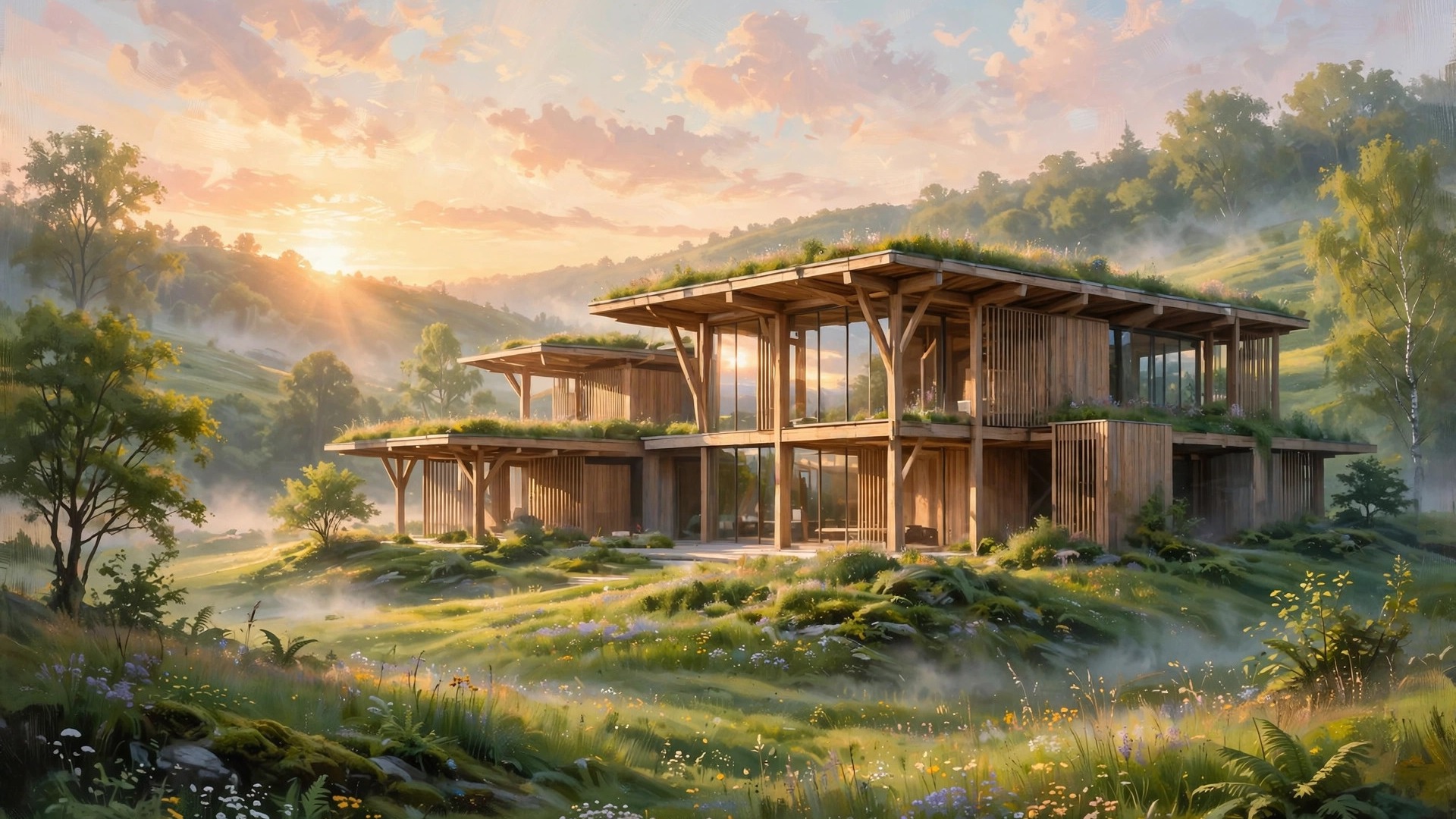
A good architectural concept image used to require either serious drawing skill or an expensive visualization workflow. A leonardo ai architecture generator changes the starting point: you describe the building, the materials, the light, and the setting in words, and the model produces concept images you can refine, compare, and present. For early ideas — a courtyard house, a cafe frontage, a cabin in the hills — that speed is genuinely useful.
This guide explains how Leonardo AI handles art and architecture together. We will cover image generation in general, the drawing and canvas tools, the app experience, and the Leonardo Diffusion XL model that many creators still choose for detailed work. Throughout, keep one honest idea in mind: AI concepts are a starting point for design conversations, not construction documents, and they shine brightest in the sketch-and-explore phase.
You can explore the platform on Leonardo AI’s official website and compare its current models and plans there.
leonardo ai image generation
At its core, Leonardo is a text-to-image platform. You write a prompt, choose a model and dimensions, and generate a set of images. From there you can create variations, upscale a favorite, or take an image into editing tools for more control. The platform offers multiple models tuned for different looks, from photorealistic scenes to illustration and anime styles, plus community and fine-tuned models for specialized aesthetics.
For architecture, prompt structure matters more than prompt length. A reliable order is subject, style, materials, light, and viewpoint. For example: a small reading pavilion, modern timber architecture, floor-to-ceiling glass, cedar cladding, soft morning light, eye-level view from the garden path. Each phrase gives the model a decision to make, and specific decisions produce far better buildings than vague praise words like beautiful or amazing.
Key generation controls worth learning include:
- Model choice — different models interpret prompts and textures differently; test the same prompt on two models.
- Dimensions and aspect ratio — wide ratios suit exteriors and streetscapes; squarer ratios suit interiors and presentation boards.
- Guidance settings — stronger prompt adherence keeps a design closer to your description; looser settings explore more freely.
- Negative prompts — use them to discourage distorted windows, warped text, or unwanted people.
- Image references — where available, a reference image can guide composition or style toward a mood board you already like.
If you are new to prompting in general, our text to image AI guide explains prompt anatomy in more depth.
leonardo draw
The drawing side of Leonardo is where generated images become editable artwork. The platform’s canvas-style editor lets you work over an image: sketching, masking areas, painting in changes, extending a scene beyond its original edges, and prompting for what should appear in the areas you mark. For architecture and art alike, this is the difference between accepting the first render and actually designing with the tool.
A practical drawing workflow for a building concept looks like this. Generate a strong base image with the right massing and viewpoint. Mark the facade area and prompt for a different material, such as replacing concrete panels with warm brick. Extend the canvas sideways to reveal more of the street or landscape. Then adjust small distractions — a warped railing, a strange shadow — with targeted edits instead of regenerating the whole scene and losing the parts you liked.
For pure art projects, the same tools support character sketches, environment concepts, and style exploration. Artists often generate a composition first, then draw and repaint sections until the image matches the picture in their head. That loop — generate, draw, regenerate locally — is far more controllable than prompt-only workflows, and it rewards people who can hold a pencil as much as people who cannot.
Beginners comparing editors may also find our Getimg AI review useful, since it covers a different take on AI image editing.
leonardo app
The Leonardo app experience brings generation to mobile and tablet, alongside the main web platform. For architecture work, the practical benefit is review and iteration anywhere: a designer can generate variations on site, a student can test facade ideas between classes, and a homeowner planning a renovation can explore styles on the sofa before speaking to a professional.
Expect the app to focus on the core loop — prompt, generate, view, save, and share — with account access tied to the same Leonardo account you use on the web. Deeper project organization and long editing sessions still tend to feel more comfortable on a larger screen, so many creators sketch ideas in the app and finish serious canvas work on desktop.
Leonardo’s access model is token-based in general terms: generation consumes tokens, free access provides a limited daily allowance for experimentation, and paid subscriptions raise allowances and unlock more of the platform’s advanced features. Exact allowances and plan details change over time, so check the current pricing page before relying on a specific number for coursework or client work.
leonardo diffusion xl
Leonardo Diffusion XL is one of Leonardo’s established platform models, built for high-quality, detailed image generation across a wide range of subjects. Creators choose Diffusion XL style models when they want strong texture, convincing light, and reliable prompt following — exactly the qualities architectural images demand, where a believable stone wall or a soft shadow across a courtyard sells the whole concept.
For buildings specifically, XL-class output helps in three places. First, materials: wood grain, concrete, glass reflections, and planting all read more convincingly at higher detail. Second, lighting: dawn, dusk, and overcast moods stay coherent across a facade instead of breaking into patches. Third, composition: wide exterior shots hold together better, with fewer melted edges on railings, mullions, and rooflines.
Diffusion XL is not the only model worth testing. Leonardo’s newer flagship models emphasize photorealism and prompt adherence, and illustration-focused models will beat it for stylized concept art. The professional habit is simple: run your key prompt through two or three models, keep the one whose failures you mind least, and build your project around it. Our guide on how to create AI images covers that testing mindset for beginners.
leonardo ai architecture generator
Used specifically as a leonardo ai architecture generator, the platform covers the main concept tasks architects, students, and renovators actually need:
- Exterior concepts — houses, pavilions, cafes, and small commercial buildings in many architectural styles.
- Interior concepts — living spaces, kitchens, studios, and retail interiors with furniture, materials, and daylight.
- Style studies — the same building explored as minimalist, brutalist, Mediterranean, Scandinavian, or traditional, to test direction before committing.
- Landscape context — gardens, courtyards, streets, and terrain that show how a building sits in its place.
- Presentation images — polished views for portfolios, coursework, mood boards, and early client conversations.
Write prompts like a designer briefing a visualizer. Name the building type, the era or style, three materials at most, the time of day, the weather, and the camera position. Avoid asking for ten features in one image; a clean, buildable-looking concept beats a fantasy collage when you need to discuss the design with anyone else.
Also respect the limits. A leonardo ai architecture generator can invent impossible structures, ignore local building rules, and produce dimensions that make no physical sense. Use its images to explore and communicate ideas, then hand real projects to qualified architects and engineers for drawings, permissions, and construction.
leonardo art
Beyond buildings, leonardo art covers the platform’s wider creative life: illustrations, character designs, game assets, book covers, posters, and painterly experiments. The same models and canvas tools serve both worlds, which is why many users arrive for architecture and stay for general artwork, or the other way around.
For artists, the healthiest workflow treats generation as sketching at unusual speed. Generate widely at the start, choose directions with a critical eye, then invest your drawing and editing time in the strongest few images. Finished pieces that went through selection, repainting, and composition work look intentional; single untouched generations rarely do.
A Short Workflow for Your First Building Concept
Start with a real, small brief instead of a fantasy castle. Choose one building you understand — a garden studio, a corner cafe, a family kitchen extension — and write five lines about it: purpose, style, materials, setting, and the view you want to see. Turn those lines into one clear prompt and generate a first set without touching advanced settings.
Review the set like a critic, not a fan. Ignore the prettiest image for a moment and ask which one has the most believable structure, the cleanest windows, and light that falls in one consistent direction. Take that image into the drawing tools, fix its weakest area, and generate one variation set from it. Two or three honest rounds of this loop will teach you the platform faster than a hundred random prompts, and you will finish with a concept you can actually discuss with a builder, teacher, or client.
Pros and Cons
Leonardo’s strengths are breadth and control: many models, a real editing canvas, reference and variation tools, and output detailed enough for presentations and portfolios. The token system also makes experimentation predictable once you understand what a generation costs.
The weaknesses are the learning curve and the temptation to over-generate. New users face many models and settings before they know which ones matter, and architecture prompts still produce warped details that need editing or regeneration. Free access is for sampling, not for a full project workload.
Frequently Asked Questions
Can Leonardo replace an architect?
No. It can generate concept images, style studies, and presentation visuals, but it cannot produce compliant drawings, structural calculations, or planning submissions. Use it in the idea phase, and work with qualified professionals for anything that will actually be built.
Which model should I start with for buildings?
Start with a detailed general model such as Leonardo Diffusion XL for texture and light, then compare one photorealism-focused model on the same prompt. Keep the model that handles windows, materials, and rooflines most cleanly for your style of project.
Is Leonardo free to try?
Leonardo offers free access with a limited token allowance for experimentation, alongside paid subscriptions with larger allowances and more features. Because allowances and plan details change, confirm the current offer on the official pricing page before planning a project around it.
How do I stop warped windows and doors?
Be specific about viewpoint and symmetry, keep the building the clear subject, use negative prompts for distortion, and fix small areas with canvas editing instead of regenerating everything. Simpler compositions — one building, one clear angle — fail far less often than crowded scenes.
Conclusion
As a leonardo ai architecture generator and a general art studio, Leonardo rewards creators who brief it clearly and edit with intent. Describe buildings like a designer, test models like a professional, draw over the results like an artist, and treat every image as a concept to discuss rather than a fact to build from.
Start with one small project — a garden studio, a cafe front, a dream reading room — and run it through the full loop of generation, drawing, and refinement. That single exercise will teach you more about what Leonardo can do for your art and architecture than any feature list, including this one.
