


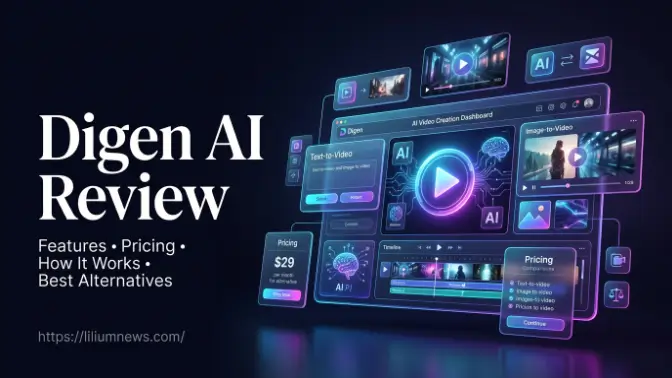
Welcome to liliumnews. Artificial intelligence has transformed the way people create digital content, making professional-quality videos faster and easier to produce. Digen AI is one of the emerging AI-powered platforms designed to simplify video creation through tools like text-to-video, image-to-video, AI editing, and video enhancement. Whether you’re a content creator, marketer, educator, or business owner, Digen AI aims to reduce the time and effort required to produce engaging visual content.
In this guide, you’ll learn everything you need to know about Digen AI, including its core features, how it works, pricing options, advantages, and ideal use cases. We’ll also explore practical tips to help you get better results and compare Digen AI with other popular AI video generators so you can decide if it’s the right platform for your projects.
What Is Digen AI?
Digen AI is an AI-powered creative platform that helps users generate, edit, and enhance videos with minimal manual effort. Instead of relying on traditional video editing software, users can create videos using simple text prompts, images, or existing media. The platform uses advanced generative AI models to automate much of the creative process while allowing users to customize the final output. Its primary goal is to make video production accessible to everyone, regardless of their editing experience. From social media clips to promotional videos, Digen AI offers a range of tools that streamline content creation without requiring advanced technical skills.
Overview of Digen AI
Digen AI combines multiple AI-powered tools into a single platform, allowing users to complete an entire creative workflow without switching between different applications. Instead of using separate software for image generation, animation, editing, and enhancement, users can manage everything in one place. Instead of using separate software for image generation, animation, editing, and enhancement, users can manage everything in one place.
Some of its most popular capabilities include:
- AI text-to-video generation
- Image-to-video conversion
- AI-powered video editing
- Video upscaling
- AI lip-sync technology
- Text-to-image generation
- Motion and animation effects
This all-in-one approach makes Digen AI suitable for individuals and businesses looking to create content efficiently.
Who Is Digen AI Designed For?
Digen AI serves a wide range of users who need high-quality videos without investing significant time in traditional editing. This all-in-one approach makes Digen AI suitable for individuals and businesses looking to create content efficiently. Instead of using separate software for image generation, animation, editing, and enhancement, users can manage everything in one place.
It is particularly useful for:
- Content creators producing videos for YouTube, TikTok, Instagram, and other social media platforms.
- Digital marketers creating advertisements, promotional campaigns, and product showcases.
- Small businesses developing marketing materials without hiring professional editors.
- Educators producing engaging learning content and instructional videos.
- Freelancers and agencies delivering visual content for clients.
- Entrepreneurs promoting products, services, and brands through video marketing.
Because of its user-friendly interface, beginners can quickly learn the platform while experienced creators can speed up their existing workflows.
Key Features of Digen AI
One of the biggest strengths of Digen AI is its collection of AI-powered creative tools. Instead of focusing on a single feature, the platform supports multiple stages of the content creation process, making it a versatile solution for different types of users. Instead of using separate software for image generation, animation, editing, and enhancement, users can manage everything in one place. Because of its user-friendly interface, beginners can quickly learn the platform while experienced creators can speed up their existing workflows.
Text-to-Video Generation
Text-to-video is one of Digen AI’s core features. Users simply enter a written prompt describing the type of video they want to create, and the AI generates visual scenes based on that description. Because of its user-friendly interface, beginners can quickly learn the platform while experienced creators can speed up their existing workflows.
For example, a prompt like:
“A modern coffee shop with customers enjoying fresh coffee during sunrise.”
can produce a short cinematic video that reflects the requested scene.
This feature is particularly useful for:
- Marketing campaigns
- Social media content
- Storytelling
- Product advertisements
- Educational presentations
The quality of the generated video often improves when users write detailed prompts with clear descriptions of the setting, camera angles, lighting, and desired style.
Image-to-Video Creation
Digen AI can also transform static images into animated videos. Users upload one or more images, and the AI adds movement, transitions, camera effects, and animations to create dynamic visual content. Because of its user-friendly interface, beginners can quickly learn the platform while experienced creators can speed up their existing workflows.
This feature is commonly used for:
- Product showcases
- Travel photography
- Portfolio presentations
- Historical image restoration
- Character animation
- Social media posts
Image-to-video generation allows creators to breathe life into still images without requiring advanced animation skills.
AI Video Editing
Traditional video editing can be time-consuming, especially for beginners. Digen AI simplifies this process with AI-assisted editing tools that automatically enhance videos while allowing users to make additional adjustments. Because of its user-friendly interface, beginners can quickly learn the platform while experienced creators can speed up their existing workflows.
Key editing capabilities include:
- Automatic scene improvements
- Background enhancements
- Visual effects
- Smart transitions
- AI-generated subtitles
- Cropping and resizing for different platforms
- Color adjustments
These tools help users create polished videos in less time compared to manual editing.
Read also: Getimg AI Review: Features, Pricing, How to Use & Best Alternatives
Best Use Cases for Digen AI
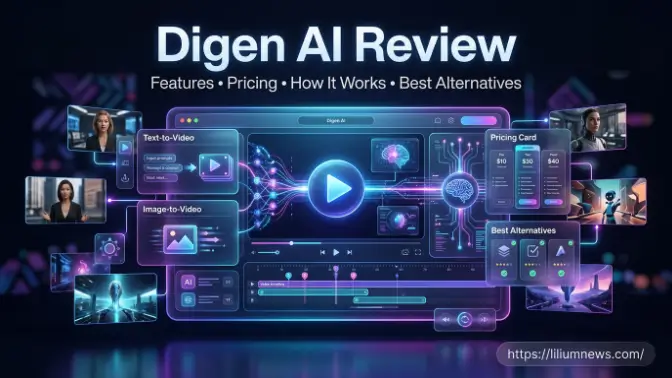
Digen AI supports a wide range of creative and professional workflows, making it a flexible platform for users across different industries. Whether you’re a content creator, marketer, educator, freelancer, or business owner, the platform provides AI-powered tools that simplify video production. Instead of spending hours on manual editing, users can generate engaging videos, animations, and visual content quickly using text prompts or images, helping save both time and effort. The platform is suitable for creating social media videos, marketing campaigns, product demonstrations, educational tutorials, presentations, and creative storytelling projects. Its combination of text-to-video, image-to-video, AI editing, and enhancement features allows users to produce professional-looking content without requiring advanced technical skills.
Social Media Videos
Short-form video content has become one of the most effective ways to engage audiences on platforms like YouTube Shorts, Instagram Reels, TikTok, and Facebook. Digen AI enables creators to produce high-quality videos in a fraction of the time required by traditional editing software. Using AI-powered tools, users can quickly transform text prompts or images into visually appealing videos that capture attention and encourage viewer interaction.
For content creators, maintaining a consistent posting schedule is essential for growing an audience, but producing fresh videos regularly can be challenging. Digen AI simplifies this process by automating much of the video creation workflow, allowing users to generate, edit, and enhance content efficiently. This helps creators focus more on their ideas and audience while spending less time on complex editing tasks.4R
Product Promotions
Online stores and eCommerce brands can transform product images into attractive promotional videos that highlight key features, benefits, and unique selling points. Digen AI makes this process simple by converting static product photos into dynamic videos with smooth animations, transitions, and visual effects. These engaging videos help capture customer attention and showcase products in a more interactive way.
These videos can be used on:
- Product pages
- Social media ads
- Email campaigns
- Online marketplaces
Educational Videos
Teachers, trainers, and online course creators can use Digen AI to develop engaging educational content that captures learners’ attention and simplifies complex topics. By transforming text prompts or images into visually appealing videos, the platform helps educators create lessons that are more interactive and easier to understand. This makes learning more enjoyable for students in both online and classroom environments.
Examples include:
- Lesson summaries
- Training materials
- Tutorials
- Explainer videos
- Presentation visuals
Personal Creative Projects
Beyond commercial use, Digen AI is also an excellent choice for hobbyists, artists, and creative professionals who want to bring their ideas to life. Whether you’re experimenting with AI-generated visuals, creating short films, or producing personal video projects, the platform provides easy-to-use tools that help transform creative concepts into high-quality content without requiring advanced editing skills.
Popular personal projects include:
- Travel videos
- Digital storytelling
- Animated photo collections
- AI-generated short films
- Creative experiments
Digen AI vs Other AI Video Generators
Choosing the right AI video generator depends on your goals, budget, and preferred workflow. Here’s how Digen AI compares with several well-known alternatives. Digen AI supports a wide variety of personal creative projects, including travel videos, digital storytelling, animated photo collections, portfolio presentations, and artistic experiments. Its AI-powered features enable users to create visually engaging content quickly, making it easier to explore new creative styles, share unique ideas, and produce professional-looking videos for personal or portfolio use.
| Feature | Digen AI | Runway | Kling AI | Pika | Veo |
| Text-to-Video | Yes | Yes | Yes | Yes | Yes |
| Image-to-Video | Yes | Yes | Yes | Yes | Yes |
| AI Image Generation | Yes | Limited | Limited | No | Limited |
| Video Upscaling | Yes | Yes | Limited | No | Limited |
| AI Editing Tools | Yes | Advanced | Moderate | Basic | Advanced |
| Beginner Friendly | High | Medium | Medium | High | Medium |
| Commercial Use | Yes | Yes | Yes | Yes | Yes |
Digen AI vs Runway
Runway is widely recognized for its professional-grade editing capabilities, advanced AI video generation, and powerful creative tools designed for filmmakers, designers, and experienced content creators. While it offers extensive features and customization options, new users may need time to learn its interface and workflows. In comparison, Digen AI focuses on providing a more streamlined and user-friendly experience, making AI video creation accessible to users with varying skill levels.
Digen AI combines multiple AI-powered tools, including text-to-video, image-to-video, video enhancement, and AI editing, within a single platform. This all-in-one approach eliminates the need to switch between multiple applications, allowing users to create professional-looking content more efficiently. Its simple interface and automated workflow make it an excellent choice for beginners, small businesses, marketers, and creators who want fast, high-quality results without a steep learning curve.
Digen AI vs Kling AI
Kling AI is well known for producing highly realistic, cinematic-quality videos with impressive visual detail and natural motion. It is particularly popular among creators who prioritize photorealistic results and want to generate visually stunning scenes from detailed text prompts. While Kling AI excels in video generation, its primary focus is on creating realistic AI videos rather than offering a complete content creation workflow.
Digen AI, on the other hand, provides a broader range of AI-powered creative tools beyond text-to-video generation. In addition to creating videos, Digen AI supports image-to-video conversion, AI video editing, video upscaling, text-to-image generation, and other enhancement features within a single platform. Technology This comprehensive toolkit makes it a versatile choice for content creators, marketers, educators, and businesses looking for an all-in-one solution for producing professional-quality visual content.
Digen AI vs Pika
Pika is popular for its ability to create short AI-generated videos quickly with minimal effort. Its simple interface and fast generation process make it a suitable choice for users who need quick animations or social media content without spending much time on editing. However, its feature set is primarily focused on AI video generation, which may be limiting for users looking for a more comprehensive creative platform.
Digen AI, in contrast, offers a broader range of AI-powered tools that extend beyond basic video generation. Along with text-to-video capabilities, Digen AI includes AI image generation, image-to-video conversion, video upscaling, AI-assisted editing, and content enhancement features. This all-in-one approach gives creators, marketers, and businesses greater flexibility to produce professional-quality visual content while managing their entire creative workflow from a single platform.
Digen AI vs Veo
Veo is designed to produce high-quality AI-generated videos with a strong emphasis on realism, detailed visuals, and cinematic output. It is well suited for creators and professionals who require advanced video generation capabilities for complex projects. While Veo delivers impressive results, its focus is primarily on creating realistic AI videos rather than providing a complete suite of creative tools within a single platform.
Digen AI, on the other hand, prioritizes accessibility, ease of use, and an integrated content creation workflow. In addition to AI video generation, Digen AI offers features such as image-to-video conversion, AI video editing, video upscaling, and text-to-image generation, enabling users to complete multiple creative tasks without switching between different applications. This makes it an excellent choice for beginners, marketers, educators, and businesses seeking an efficient and user-friendly AI content creation platform.
Tips for Getting Better Results with Digen AI
Using Digen AI effectively involves more than simply entering a prompt. These best practices can help improve the quality of your videos. AI video editing, video upscaling, and text-to-image generation, enabling users to complete multiple creative tasks without switching between different applications. This makes it an excellent choice for beginners, marketers, educators, and businesses seeking an efficient and user-friendly AI content creation platform.
- Write clear and descriptive prompts.
- Specify the subject, background, lighting, and camera movement.
- Upload high-resolution images whenever possible.
- Choose the correct aspect ratio for your target platform.
- Experiment with different prompts and styles.
- Preview your video before downloading.
- Use AI editing tools to refine the final output.
- Save successful prompts for future projects.
Common Mistakes to Avoid
Avoiding common mistakes can save valuable time and significantly improve the quality of your AI-generated videos. While Digen AI simplifies the content creation process, the final results largely depend on how effectively you use its features. Paying attention to prompt quality, image resolution, and project settings can help you achieve more accurate and professional-looking videos with fewer revisions. By understanding common errors and following best practices, users can make the most of Digen AI and create engaging content more efficiently. Taking a few extra minutes to review prompts, optimize media files, and refine generated videos can lead to better visual quality, improved audience engagement, and a smoother overall content creation workflow.
Using Vague Prompts
Short prompts often produce generic or inaccurate results because they don’t provide enough information for the AI to understand your creative vision. When using Digen AI, it’s important to include specific details such as the subject, setting, visual style, lighting, camera angle, and movement. A detailed prompt helps the AI generate videos that are more accurate, visually appealing, and aligned with your intended outcome.
For example, instead of writing “a beach scene,” you could write “a cinematic sunset beach with golden light, gentle ocean waves, palm trees swaying in the breeze, and a slow drone camera movement.” By providing clear descriptions, Digen AI can create higher-quality videos with fewer revisions, saving time and delivering more professional results for your creative projects.
Uploading Low-Quality Images
Image-to-video tools perform best when they are provided with sharp, high-resolution source images. When using Digen AI, the quality of your uploaded image directly affects the final video output. Clear and detailed images allow the AI to recognize objects, textures, colors, and facial features more accurately, resulting in smoother animations and more realistic visual effects.
Using blurry, pixelated, or low-resolution images can lead to distorted animations, reduced detail, and less professional-looking videos. To achieve the best results with Digen AI, upload high-quality images that are well-lit, properly focused, and free from excessive compression. Starting with a strong source image enables the AI to generate visually appealing videos that require fewer corrections and deliver a better viewing experience.
Choosing the Wrong Aspect Ratio
Always match the aspect ratio to your publishing platform. Using blurry, pixelated, or low-resolution images can lead to distorted animations, reduced detail, and less professional-looking videos. To achieve the best results with Digen AI, upload high-quality images that are well-lit, properly focused, and free from excessive compression. Starting with a strong source image enables the AI to generate visually appealing videos that require fewer corrections and deliver a better viewing experience.
Examples:
- 16:9 for YouTube
- 9:16 for TikTok and Instagram Reels
- 1:1 for many social media posts
Ignoring AI Editing Features
Many users make the mistake of downloading the first video generated by Digen AI without reviewing or refining it. While the initial output may look good, AI-generated content often benefits from small adjustments to improve accuracy, visual quality, and overall presentation. Taking a few moments to evaluate the video can help identify areas that need enhancement, such as transitions, animations, or scene consistency.
Before exporting the final version, use Digen AI‘s editing and enhancement tools to make necessary improvements. You can refine prompts, regenerate specific scenes, adjust visual effects, or enhance the video quality to achieve a more polished result. These simple revisions can make a noticeable difference, ensuring your final video looks more professional and effectively communicates your intended message.
Is Digen AI Worth Using?
For users looking to create AI-generated videos quickly, Digen AI offers a practical combination of automation and creative flexibility. Its text-to-video, image-to-video, AI editing, and enhancement tools make it suitable for beginners, marketers, educators, and businesses that want to produce engaging content without extensive editing experience.
The platform’s greatest strengths are its ease of use, integrated workflow, and ability to handle multiple stages of content creation within a single interface. While users may need to refine prompts and manage AI credits effectively, these are common considerations across many AI-powered creative tools. If your goal is to streamline video production while maintaining professional-looking results, Digen AI is a platform worth exploring.
Frequently Asked Questions
What is Digen AI used for?
Digen AI is used to create AI-generated videos, animate images, edit videos, upscale footage, generate images from text prompts, and produce marketing or educational content with minimal manual editing.
Is Digen AI free?
Digen AI typically offers a free plan with limited features or credits, allowing users to explore the platform before upgrading to a paid subscription.
Can I use Digen AI for commercial projects?
Commercial use generally depends on the terms of your subscription and licensing agreement. Always review the platform’s latest terms before using AI-generated content for business purposes.
Is Digen AI suitable for beginners?
Yes. Its intuitive interface and AI-powered workflow make it accessible to users with little or no video editing experience.
What types of videos can I create with Digen AI?
You can create promotional videos, social media content, educational videos, product showcases, presentations, advertisements, animated visuals, and creative storytelling projects.
Conclusion
Digen AI is an all-in-one AI content creation platform that simplifies video production through features such as text-to-video generation, image-to-video conversion, AI-assisted editing, video upscaling, lip-sync technology, and text-to-image creation. By combining these tools into a single workflow, it enables individuals and businesses to produce professional-quality content more efficiently.
Whether you’re a beginner creating social media videos or a marketing team producing promotional campaigns, Digen AI offers a flexible solution that reduces editing time while expanding creative possibilities. As AI technology continues to evolve, platforms like Digen AI are making high-quality video production more accessible than ever.
