


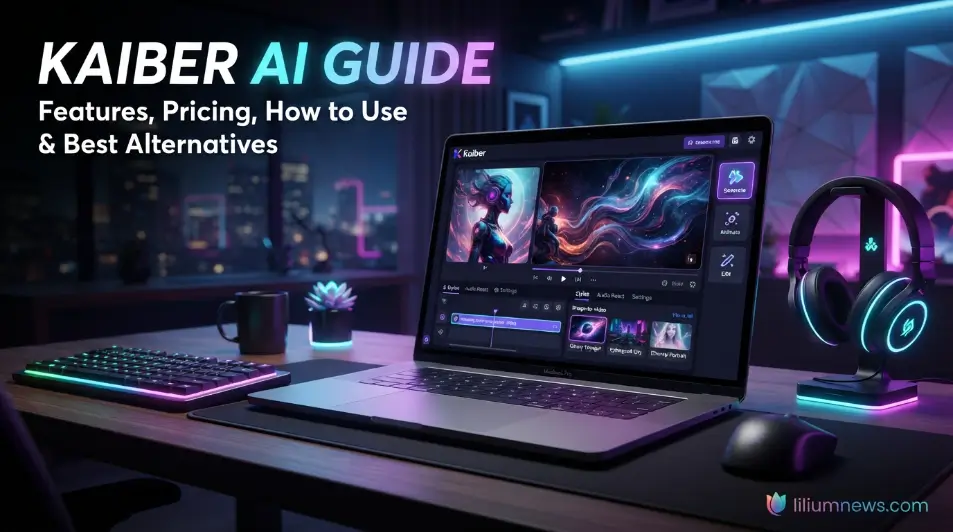
welcome to liliumnews. Artificial intelligence has transformed video creation, making it possible for anyone to produce professional-looking videos without advanced editing skills. Among the many AI-powered video generators available today, Kaiber AI has gained popularity for its ability to turn text prompts, images, and audio into visually engaging videos. Whether you’re a content creator, marketer, musician, or digital artist, this platform offers creative tools that simplify the video production process.
In this guide, you’ll learn everything you need to know about Kaiber AI, including how it works, its standout features, pricing, practical use cases, and tips for achieving better results. By the end of this article, you’ll have a clear understanding of whether Kaiber AI is the right AI video generator for your creative projects. Unlike many traditional editing tools, Kaiber AI focuses on creativity rather than technical complexity. Users can experiment with different artistic styles, camera movements, and animation effects to create unique visuals that match their ideas.
What Is Kaiber AI?
Kaiber AI is an AI-powered video generation platform that enables users to create animated videos using text prompts, images, and existing video clips. Instead of relying on traditional video editing software, users simply describe their ideas, choose a visual style, and let artificial intelligence generate dynamic video content. The platform is designed for beginners and professionals alike. Its intuitive interface allows users to create visually appealing videos without needing animation or video editing experience. This makes Kaiber AI a popular choice for content creators who want to produce engaging videos quickly while reducing production time.
Overview
The primary goal of Kaiber AI is to make AI-assisted video creation simple and accessible. Users can transform written descriptions into animated scenes, convert static images into moving visuals, and generate artistic videos suitable for multiple platforms. Unlike many traditional editing tools, Kaiber AI focuses on creativity rather than technical complexity. Users can experiment with different artistic styles, camera movements, and animation effects to create unique visuals that match their ideas.
The platform supports a wide range of creative projects, including:
- Social media videos
- YouTube content
- Music videos
- Promotional videos
- Digital artwork
- Marketing campaigns
- Visual storytelling
- Creative presentations
Because of its flexibility, Kaiber AI appeals to individuals, creative agencies, educators, musicians, and businesses looking for efficient video production.
Who Created Kaiber AI?
Kaiber AI is an advanced AI-powered video generation platform that helps users create high-quality videos from text prompts, images, or existing video clips. Instead of spending hours editing footage with traditional software, users simply describe their ideas, choose a visual style, and let the AI generate engaging animations and cinematic scenes. The platform is designed for creators of all skill levels, making professional video production more accessible to marketers, artists, educators, businesses, and social media creators.
What sets Kaiber AI apart is its focus on creativity and ease of use. It offers features such as text-to-video generation, image animation, camera motion controls, style transfer, and audio-reactive visuals, allowing users to produce unique content without advanced editing skills. Whether you want to create promotional videos, music visuals, digital art, or engaging social media content, Kaiber AI provides a fast and efficient way to bring creative ideas to life while reducing the time and effort required for traditional video production.
What Makes Kaiber AI Different?
Several features distinguish Kaiber AI from other AI video generators, making it a preferred choice for creators who want to produce visually impressive videos with minimal effort. Unlike many traditional video editing tools, it combines AI-powered automation with creative flexibility, allowing users to generate unique videos from text prompts, images, or existing footage. Its intuitive interface also makes it accessible to both beginners and experienced professionals.
Another key advantage of Kaiber AI is its ability to offer multiple creative styles, cinematic camera movements, and customizable visual effects in a single platform. Users can experiment with different artistic looks, animate static images, and create engaging content for social media, marketing campaigns, music videos, and digital storytelling. This combination of ease of use, versatility, and high-quality output helps Kaiber AI stand out in the competitive AI video generation market.
How Does Kaiber AI Work?
One of the biggest advantages of Kaiber AI is its straightforward and user-friendly workflow. The platform guides users through every stage of the video creation process, from entering a text prompt or uploading an image to selecting visual styles and generating the final video. Its simple interface eliminates the need for advanced editing skills, allowing beginners and experienced creators alike to produce professional-looking content with minimal effort.
The streamlined process also helps save significant time compared to traditional video editing software. Instead of manually creating animations or applying complex effects, users can rely on Kaiber AI to automate much of the creative work while still offering customization options such as camera movements, artistic styles, and motion effects. This balance of automation and creative control makes the platform an efficient solution for creating engaging videos for social media, marketing, education, and entertainment.
Step 1: Create an Account
Begin by creating an account on the Kaiber AI platform. After completing the registration process, you’ll gain access to the dashboard, where you can create new projects, manage existing ones, explore available templates, and access the platform’s AI-powered video generation tools. The clean and intuitive interface makes it easy to navigate, even for users with no prior experience in video editing or animation.
Once your account is set up, you’ll receive AI generation credits based on your selected subscription plan. These credits are used each time you generate or customize a video, with the number of credits required depending on factors such as video length, quality, and selected features. Before starting a project, it’s a good idea to review your available credits and choose a plan that best matches your creative needs and expected usage.
Step 2: Choose a Project Type
After logging in, select the type of project you want to create. These credits are used each time you generate or customize a video, with the number of credits required depending on factors such as video length, quality, and selected features. Before starting a project, it’s a good idea to review your available credits and choose a plan that best matches your creative needs and expected usage.
Common options include:
- Text-to-video
- Image-to-video
- Video transformation
- Audio-reactive video
- Animation projects
Each project type is designed for a specific creative purpose.
Step 3: Enter Your Prompt
The prompt is one of the most important parts of the video generation process. These credits are used each time you generate or customize a video, with the number of credits required depending on factors such as video length, quality, and selected features. Before starting a project, it’s a good idea to review your available credits and choose a plan that best matches your creative needs and expected usage.
Describe your idea as clearly as possible.
Example:
“A futuristic city at sunset with flying cars, cinematic lighting, realistic architecture, smooth camera movement, ultra-high detail.”
The AI analyzes your prompt and generates visuals that closely match your description.
More detailed prompts generally produce better results.
Step 4: Customize the Style
These credits are used each time you generate or customize a video, with the number of credits required depending on factors such as video length, quality, and selected features. Before starting a project, it’s a good idea to review your available credits and choose a plan that best matches your creative needs and expected usage. Before generating the video, users can adjust several settings, including:
- Video style
- Aspect ratio
- Camera movement
- Animation intensity
- Motion effects
- Visual quality
- Video duration
These customization options allow creators to tailor the final output to their needs.
Step 5: Generate and Export
Once all settings are complete, click the generate button. These credits are used each time you generate or customize a video, with the number of credits required depending on factors such as video length, quality, and selected features. Before starting a project, it’s a good idea to review your available credits and choose a plan that best matches your creative needs and expected usage. The AI processes your request and creates the video automatically.
After reviewing the result, you can:
- Download the video
- Regenerate scenes
- Adjust prompts
- Modify styles
- Export for social media or professional use
This streamlined workflow makes Kaiber AI suitable for users who want fast results without sacrificing creativity.
Read also: MagicLight AI Review: Features, Pricing, and How It Works
Key Features of Kaiber AI
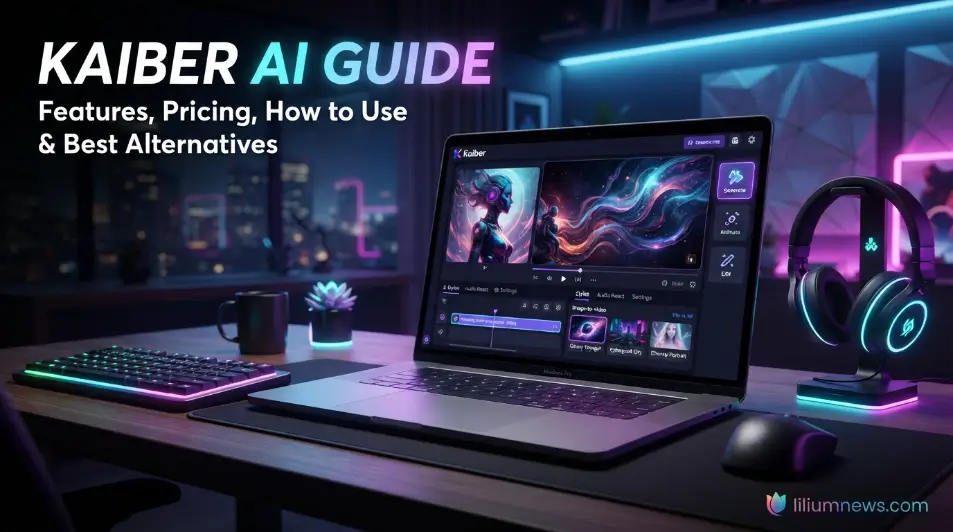
The growing popularity of Kaiber AI is largely due to its powerful collection of AI-driven creative tools that simplify the video creation process. Whether you’re starting with a text prompt, an image, or an existing video, the platform provides a variety of features that help transform ideas into visually compelling content. Its combination of automation and creative flexibility makes it suitable for both beginners and experienced creators. These AI-powered features enable users to produce high-quality videos for a wide range of purposes, including social media content, marketing campaigns, music videos, educational presentations, digital art, and professional storytelling.
Text-to-Video Generation
The text-to-video feature allows users to create videos simply by describing a scene in natural language. The popularity of Kaiber AI comes from its extensive set of AI-powered creative tools. These features help users produce unique videos for personal projects, marketing campaigns, entertainment, and professional content creation. Instead of manually editing clips, users can type prompts describing:
- Characters
- Landscapes
- Objects
- Lighting
- Camera angles
- Artistic style
- Mood
- Colors
The AI interprets these instructions and generates animated visuals that match the prompt.
Image Animation
Kaiber AI can transform static images into animated videos. The popularity of Kaiber AI comes from its extensive set of AI-powered creative tools. These features help users produce unique videos for personal projects, marketing campaigns, entertainment, and professional content creation. Users upload a photo, artwork, or illustration, and the AI adds realistic movement, camera motion, and visual effects.
Popular examples include:
- Portrait animation
- Landscape motion
- Product showcases
- Fantasy artwork
- Digital illustrations
- Album covers
Image animation allows creators to give new life to existing visuals without complex editing software.
Camera Motion Controls
One of the standout features of Kaiber AI is its ability to simulate cinematic camera movements. The popularity of Kaiber AI comes from its extensive set of AI-powered creative tools. These features help users produce unique videos for personal projects, marketing campaigns, entertainment, and professional content creation.
Users can create effects such as:
- Zoom in
- Zoom out
- Pan left
- Pan right
- Rotate
- Orbit
- Dolly movement
These effects make AI-generated videos feel more dynamic and professional.
Audio-Reactive Videos
One of the most unique features of Kaiber AI is its ability to create audio-reactive videos that synchronize visual effects with music or sound. Instead of manually matching animations to a soundtrack, the AI analyzes the rhythm, beats, and intensity of the audio to generate visuals that move naturally with the music. This makes it an excellent tool for musicians, DJs, and content creators who want to produce eye-catching music videos quickly. Audio-reactive video generation is especially useful for promotional content, lyric videos, live performance visuals, and social media posts. Users can upload their own audio files, choose a preferred visual style, and let Kaiber AI automatically generate dynamic animations. The result is a professional-looking video that enhances the listening experience while saving significant editing time.
Style Transfer
The Style Transfer feature allows Kaiber AI to transform ordinary videos or images into artwork inspired by different artistic styles. Users can apply effects that resemble paintings, sketches, cyberpunk visuals, anime-inspired artwork, or other creative themes without manually editing every frame. This feature helps creators give their projects a distinctive visual identity.
Style Transfer is particularly useful for digital artists, filmmakers, and marketers looking to create memorable content that stands out. By experimenting with different styles, users can quickly produce visually unique videos that match their brand, campaign, or creative vision while maintaining a consistent artistic appearance throughout the project.
Motion Brush
Motion Brush is a powerful editing feature that gives users greater control over how objects move within a scene. Instead of applying animation to an entire image, users can selectively define areas that should move while keeping other elements stationary. This targeted approach creates more realistic and visually engaging animations.
For example, you can animate flowing hair, moving clouds, waving trees, or rippling water while leaving the rest of the image unchanged. This level of precision allows creators to produce professional-quality videos with greater creative control, making Kaiber AI suitable for storytelling, advertising, and artistic projects.
AI Scene Transformation
AI Scene Transformation enables Kaiber AI to completely reimagine existing videos or images using artificial intelligence. Users can change the overall appearance of a scene by applying different themes, environments, lighting conditions, or artistic effects while preserving the original composition. This makes it easy to experiment with new creative ideas without starting from scratch.
Whether you want to convert a daytime city into a futuristic cyberpunk landscape or transform a simple portrait into a fantasy-inspired artwork, this feature provides impressive flexibility. It allows creators to generate fresh visual concepts quickly while reducing the time and effort required for traditional editing.
Custom Video Styles
Kaiber AI offers a wide range of customizable video styles that allow users to personalize the appearance of their projects. Instead of relying on generic templates, creators can choose styles that best match their content, audience, or branding. From realistic cinematography to abstract digital art, the platform provides numerous creative possibilities.
These customization options help ensure that every project has its own unique visual identity. By combining different styles with camera movements, motion effects, and AI-generated scenes, users can create videos that are both engaging and professionally polished.
Kaiber AI Pricing
Kaiber AI offers multiple subscription plans designed to suit different types of users, from beginners experimenting with AI-generated videos to professionals creating content regularly. Each plan provides a specific number of AI generation credits, with higher-tier subscriptions offering additional features, faster processing, and higher video quality. The availability of different pricing options makes Kaiber AI accessible to individual creators, businesses, and creative teams. Before choosing a plan, users should consider how frequently they create videos and the level of quality and customization they require.
Free Plan
The free plan is designed for new users who want to explore Kaiber AI before committing to a paid subscription. It provides access to the platform’s basic features, allowing users to familiarize themselves with the dashboard, experiment with different creative tools, and generate sample AI-powered videos. This makes it an excellent starting point for beginners who want to understand how the platform works without any upfront investment.
While the free plan includes limited AI generation credits and fewer customization options than the paid plans, it still offers enough functionality to test the quality of the platform’s video generation capabilities. Users can create simple projects, explore various visual styles, and evaluate whether Kaiber AI meets their creative needs before upgrading to a subscription that offers more credits, higher-quality exports, and advanced features.
Paid Plans
Paid subscriptions unlock more AI generation credits, higher-quality exports, additional creative tools, and priority processing. These plans are ideal for creators who produce content regularly and need consistent access to the platform’s advanced features. Users can create simple projects, explore various visual styles, and evaluate whether Kaiber AI meets their creative needs before upgrading to a subscription that offers more credits, higher-quality exports, and advanced features.
| Plan | Best For | Key Benefits |
| Free | Beginners | Limited credits, basic features |
| Basic | Casual Creators | More credits, HD exports |
| Pro | Professionals | Higher limits, faster generation |
| Team | Businesses | Collaboration and larger credit allocation |
Best Use Cases for Kaiber AI
Kaiber AI is a versatile AI video generation platform that can be used across a wide range of creative and professional projects. Its ability to generate videos from text prompts, animate images, and apply artistic effects makes it suitable for individuals, businesses, educators, and digital creators. Whether you’re producing short-form social media content or developing visually engaging marketing campaigns, the platform offers tools that simplify the entire video creation process. The flexibility of Kaiber AI allows users to create content for different industries and audiences without requiring advanced video editing skills.
Social Media Content
Kaiber AI is an excellent tool for creating engaging short-form videos for popular social media platforms such as Instagram, TikTok, Facebook, LinkedIn, and YouTube Shorts. Its AI-powered video generation capabilities allow creators to transform simple text prompts or static images into eye-catching animations within minutes. This helps individuals and brands consistently produce fresh, high-quality content without spending hours on traditional video editing.
The platform is especially valuable for content creators, influencers, and businesses looking to increase audience engagement and maintain an active online presence. By using features such as cinematic camera movements, artistic visual styles, and AI-generated effects, Kaiber AI enables users to create scroll-stopping videos that attract more views, likes, shares, and comments. This makes it an efficient solution for growing social media reach while significantly reducing production time and creative effort.
Marketing Campaigns
Businesses of all sizes can use Kaiber AI to create high-quality marketing content, including promotional videos, product demonstrations, advertisements, and brand storytelling campaigns. By transforming text prompts or images into visually engaging videos, the platform enables companies to produce professional content quickly without relying on complex editing software or extensive production resources. This makes it an effective solution for both startups and established brands looking to enhance their digital marketing efforts.
The AI-powered automation offered by Kaiber AI helps reduce production time and costs while maintaining a professional appearance. Marketing teams can create content for websites, social media platforms, email campaigns, and online advertisements with greater efficiency. Whether launching a new product, promoting a service, or building brand awareness, Kaiber AI provides businesses with a fast and creative way to produce compelling visual content that captures audience attention.
Music Videos
Kaiber AI is widely used by musicians, bands, and music producers to create visually engaging music videos without the need for expensive production equipment or advanced editing skills. Its AI-powered tools can transform simple ideas, images, or text prompts into cinematic visuals that complement a song’s theme and artistic style. This makes it an excellent choice for producing lyric videos, promotional clips, album visuals, and full-length music videos.
One of the platform’s standout features is its audio-reactive technology, which automatically synchronizes animations and visual effects with the rhythm, tempo, and mood of a soundtrack. This allows artists to create immersive visual experiences that enhance their music and capture audience attention. By combining creative styles, dynamic camera movements, and AI-generated effects, Kaiber AI helps musicians produce professional-quality videos quickly and cost-effectively.
YouTube Content
Kaiber AI is an excellent tool for YouTube creators who want to enhance the visual quality of their videos while reducing production time. The platform can generate engaging intros, animated sequences, educational visuals, explainer videos, and cinematic storytelling content from simple text prompts or images. This enables creators to produce professional-looking videos without requiring advanced animation or video editing skills.
Whether you’re running a technology channel, educational series, travel vlog, gaming channel, or product review channel, Kaiber AI helps create visually appealing content that keeps viewers engaged. Its AI-powered features, such as cinematic camera movements, customizable visual styles, and image-to-video animation, make it easier to improve production quality and maintain a consistent upload schedule. As a result, YouTube creators can focus more on producing valuable content while spending less time on complex editing tasks.
Digital Art
Kaiber AI provides digital artists with an innovative way to transform static artwork into dynamic and visually engaging animations. Artists can upload illustrations, concept art, paintings, or graphic designs and use the platform’s AI-powered tools to add realistic motion, cinematic camera effects, and creative visual styles. This allows them to showcase their work in a more immersive format without needing advanced animation software or technical expertise.
By bringing still images to life, Kaiber AI helps artists create interactive visual experiences that capture audience attention across websites, online portfolios, exhibitions, and social media platforms. Whether promoting a new art collection, presenting concept designs, or enhancing digital storytelling, the platform enables creators to make their artwork more engaging while expanding its creative and commercial potential.
Product Promotions
Kaiber AI is a valuable tool for e-commerce businesses and brands looking to create engaging product promotion videos without investing in expensive production equipment or lengthy editing processes. Using AI-powered video generation, businesses can transform product images, text prompts, or marketing ideas into visually appealing videos that effectively showcase product features, benefits, and unique selling points. This helps brands create professional promotional content quickly while maintaining a consistent visual style across their marketing campaigns.
These AI-generated product videos are ideal for product launches, online advertisements, social media promotions, landing pages, and e-commerce stores. By combining cinematic camera movements, creative visual effects, and customizable styles, Kaiber AI helps businesses capture customer attention and present products in a more compelling way. As a result, brands can improve audience engagement, strengthen their marketing strategy, and produce high-quality promotional videos with significantly less time and effort.
Frequently Asked Questions
Is Kaiber AI free?
Kaiber AI offers a free plan that allows users to explore its basic features and generate sample videos. However, advanced tools, higher-quality exports, and additional AI generation credits require a paid subscription.
Can Kaiber AI create videos from text?
Yes. One of the platform’s core features is text-to-video generation, allowing users to create videos simply by describing a scene with natural language prompts.
Is Kaiber AI good for YouTube?
Yes. Kaiber AI is widely used by YouTube creators to produce intros, animated scenes, educational content, music videos, and visual storytelling projects while reducing production time.
How long does video generation take?
Generation time depends on factors such as video length, selected quality settings, server demand, and subscription plan. Most short videos are generated within a few minutes.
Which is better: Kaiber AI or Runway?
Both platforms are excellent, but they serve different purposes. Kaiber AI is better for artistic AI-generated videos, image animation, and music visuals, while Runway is better suited for advanced AI video editing and professional filmmaking workflows.
Conclusion
Kaiber AI has established itself as one of the leading AI-powered video generation platforms by combining ease of use with powerful creative features. From text-to-video generation and image animation to audio-reactive visuals and customizable artistic styles, it enables creators to produce professional-quality videos without requiring advanced editing experience. Its intuitive interface makes it suitable for beginners, while its flexible tools provide enough creative control for marketers, musicians, educators, businesses, and digital artists.
Whether you want to create engaging social media content, promotional campaigns, YouTube videos, music visuals, or digital art, Kaiber AI offers a fast and efficient solution for turning ideas into compelling videos. While exploring alternative platforms can help you find features tailored to specific needs, Kaiber AI remains an excellent choice for creators seeking a balance of simplicity, creativity, and high-quality AI-generated video production.
