


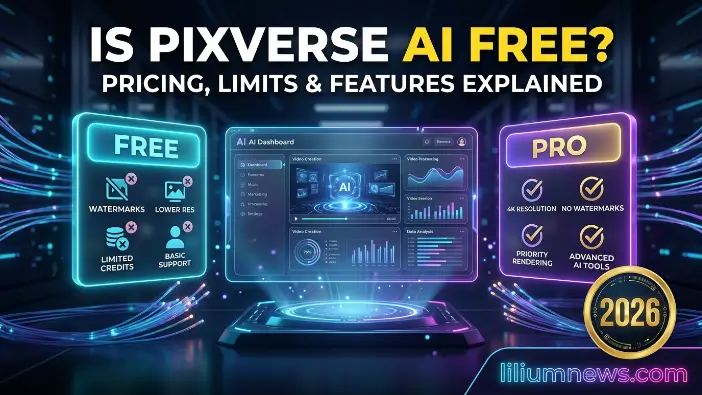
Pixverse AI is a powerful AI-based platform that allows users to create videos by simply entering text prompts. This means you can produce creative video content without professional editing knowledge, expensive cameras, or complicated software. Due to this easy approach, many beginners and content creators are asking an important question: Is Pixverse AI free, or is payment required to access its features?
In today’s digital environment, AI video creation tools are gaining popularity for social media, marketing, education, and storytelling. Pixverse AI is notable because it can transform ideas into animated or realistic videos in a short time. However, many users are unsure about which features they can access for free, what restrictions apply, and whether the free option is suitable for regular video creation. This guide explains these points clearly so you can understand how is pixverse ai free works in practical use.
What is Pixverse AI?
Pixverse AI is an advanced artificial intelligence video creation platform that transforms simple text descriptions into generated videos. It reduces the need for traditional editing skills, cameras, and complicated software, allowing users to create videos by simply describing what they want. Because the process is straightforward, the platform has gained attention among beginners, content creators, marketers, and social media users looking for quick and creative ways to make videos.
Overview of Pixverse AI
Pixverse AI is a cloud-based text-to-video generation tool created to make video production easier and more accessible. It lets users transform written concepts into visual content without requiring previous editing experience. The platform uses artificial intelligence to understand user prompts and automatically produce video scenes based on the details included in the description.
It can be used for social media posts, promotional material, educational videos, and creative storytelling. Users can select from different visual styles, including cinematic looks and animated effects, based on their project requirements. Because much of the process is automated, it can significantly reduce the time needed compared with traditional video editing, making it useful for both beginners and experienced creators.
How Pixverse AI works as a text-to-video tool
Pixverse AI processes the text prompt provided by the user and identifies important visual elements, including objects, actions, settings, and movement. For instance, when a user enters “a flying car moving through a neon city at night,” the AI interprets the different details and turns them into visual instructions for video generation.
Once the prompt has been analyzed, the system generates a sequence of frames with the help of deep learning models trained for video creation. These frames are combined to produce movement, lighting, and animation that appear more consistent and natural. The AI can also apply style changes, camera movements, and additional visual details to make the final video more engaging.
The key purpose of the platform
The primary purpose of Pixverse AI is to make video creation easier and available to people with different levels of technical knowledge and editing experience. It is built to help users transform creative concepts into videos quickly without relying on costly equipment or professional editing programs.
The platform also supports creativity and productivity by reducing the amount of time normally needed to produce video content. Rather than spending hours editing scenes manually, users can generate videos much faster. This makes it a useful option for content creators, businesses, educators, marketers, and anyone who wants to create engaging visual content more efficiently.
Read Also: What is agentic AI
Is Pixverse AI Free to Use?
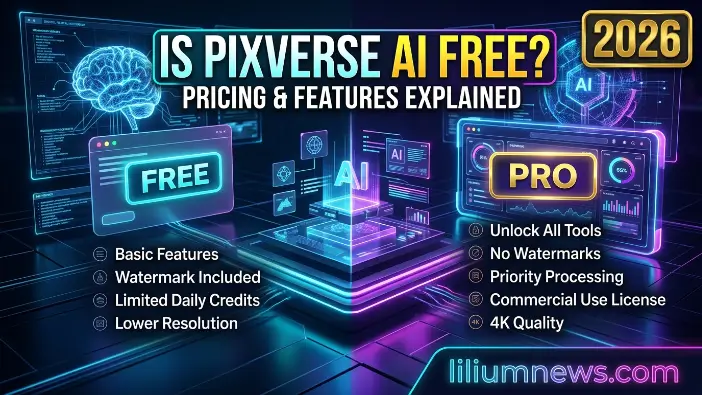
Pixverse AI is not completely free, but it does offer a free plan that allows users to try the platform Pixverse AI is not entirely free, but it provides a free plan that lets users try the platform before deciding to pay. Therefore, when people ask whether Pixverse AI is free, the accurate answer is that it is partially free. You can start using the platform without a subscription, but limits apply to the amount of content you can create and the features available to you. The free version is mainly intended for beginners who want to explore AI video generation before moving to a paid plan.
In today’s digital landscape, AI video creation tools are becoming increasingly popular for social media, marketing, and storytelling. Pixverse AI is notable because it can quickly transform ideas into animated or realistic videos. However, many users are unsure about which features are free, what restrictions apply, and whether the free version provides enough access for regular use. This guide explains these points clearly so you can understand how is pixverse ai free works in practical use.
Free plan availability explained.
Pixverse AI offers a free plan after sign-up, giving new users an opportunity to explore the platform without making a payment. This plan generally provides a limited amount of free credits, while each generated video uses one or more credits depending on factors such as its quality and duration.
The main purpose of this free access is to help users test the platform before committing to a subscription. You can enter prompts, try different concepts, and see how the AI turns written instructions into videos. It is particularly useful for beginners learning how to create effective prompts. However, the free plan is not unlimited. After your available credits are used, you may need to wait for them to renew or upgrade your plan to continue generating content.
What you get in the free version
The free version of Pixverse AI still provides access to its main capability, which is text-to-video generation. You can enter basic or detailed prompts such as “a spaceship flying over a futuristic city,” and the AI will create a short video based on your description.
You can also try different basic styles and templates, depending on the features currently available on the platform. This gives you an opportunity to learn how the system works and see the type of content it can generate. For learning, experimentation, or occasional personal use, the free version can be helpful because it provides hands-on experience with AI video creation at no cost. However, it has fewer features and performance limits than paid options. It is mainly intended to introduce users to the platform rather than provide complete professional capabilities.
Limitations of free access (credits, watermark, quality limits)
Although Pixverse AI is free at the basic level, its free version includes several restrictions that can affect how often and how effectively you use it. The first major restriction is the credit system. Free users receive a limited number of credits, and generating videos uses those credits. After they run out, you cannot continue creating videos until the credits renew or you move to a paid plan. This can make the free version less suitable for frequent or high-volume use.
Another restriction is the watermark. Videos produced through the free plan generally contain Pixverse AI branding, which can make the content look less polished for professional purposes. This may be inconvenient when creating content for businesses, branding, or commercial projects. Free users may also experience lower video quality and slower processing speed. Paid plans can provide higher-resolution output, quicker rendering, and additional AI capabilities. Therefore, the free plan works well for testing and learning but is more limited for professional or large-scale video production.
Pixverse AI Pricing Plans Explained
Pixverse AI follows a structured pricing model with different subscription options intended for beginners, regular creators, and professional users. Therefore, when users search is pixverse ai free, it is useful to understand that the platform follows a freemium approach. Basic access can be used without payment, while additional features and greater usage require a paid plan. Different pricing levels provide varying amounts of credits, video quality, and performance based on how frequently users need the platform.
Basic vs Pro vs Premium plans
Pixverse AI generally provides three primary subscription levels: Basic, Pro, and Premium. Each option is aimed at a different level of usage, with additional benefits becoming available as the plan level increases. The Basic plan is the starting paid option and provides a limited number of credits with standard video quality. It is mainly intended for beginners who want to explore AI video creation and gain more access than the free version. It supports basic use but may not be suitable for demanding professional projects.
The Pro plan is intended for regular creators who need to produce a larger amount of content. It provides more credits, improved video resolution, and faster rendering compared with the Basic plan. This option can be useful for people who regularly create videos for social media or personal branding. The Premium plan provides the highest level of access, including more credits, priority processing, and higher video quality. It is designed for professionals, agencies, and businesses that need regular AI video production with fewer usage restrictions.
Monthly vs yearly subscription comparison
Pixverse AI offers monthly and yearly payment options, giving users flexibility based on their budget and expected usage. This allows users to choose between short-term flexibility and longer-term savings. The monthly subscription allows users to pay on a month-to-month basis and offers greater flexibility for those who do not want a long commitment. It can be useful for beginners or people who want to test the service before choosing a longer subscription. However, paying monthly can cost more over an extended period than selecting a yearly option.
The yearly subscription can provide better long-term value because users pay for an entire year at once. It may include discounted pricing compared with paying month by month, making it potentially more economical for regular users. This option can suit people who expect to use Pixverse AI consistently for content creation, marketing, or business projects.
Credit system and usage limits
Pixverse AI uses a credit-based system to determine how many videos users can generate. Each generation requires a certain number of credits, with the amount depending on factors such as video duration, resolution, and complexity. This system helps manage computing resources and distribute platform usage among users. Free accounts receive a limited credit allowance, which can be enough for basic testing and experimentation. Basic plan users receive more credits, while Pro and Premium plans generally provide larger allocations for frequent or professional use.
When the available credits have been consumed, users generally need to wait for the next renewal period or upgrade their plan before generating additional videos. Because credits directly determine how much content you can create, understanding this system is important when deciding whether Pixverse AI is free or whether a paid subscription is more suitable for your workflow.
Features of Pixverse AI
Pixverse AI is an AI-powered video creation platform designed to help users produce engaging videos through a simple and largely automated process. It is suitable for people who may not have professional video editing skills but still want to create content for social media, marketing, education, or personal projects. By using artificial intelligence, the platform reduces the need for complicated editing programs, manual production work, and costly equipment, making video creation more accessible to a wider range of users.
Text-to-video generation
The main capability of Pixverse AI is its text-to-video generation system, which lets users create videos by entering a written description. Rather than working with traditional editing software or animation programs, users can enter a prompt such as “a spaceship flying through a neon galaxy,” and the AI transforms the idea into a short video. This makes video creation easier for beginners who have little or no experience with editing or design.
The system uses artificial intelligence models to analyze the details within each prompt. It identifies elements such as objects, actions, environments, lighting, and movement before turning them into visual scenes. The AI then generates frames and combines them into a video sequence with movement and visual effects. Since these systems are trained using large collections of visual data, they can create a wide range of realistic and creative scenes quickly. This automation can save significant time compared with traditional video production, where many tasks need to be completed manually.
AI animation tools
Pixverse AI also includes advanced AI animation tools that can turn basic concepts or static ideas into dynamic video content. These tools can automatically apply movement effects, transitions, and animated elements to make scenes appear more active and engaging. Users do not need to manually control every animation because much of the process is handled by the AI.
Rather than manually animating individual frames, Pixverse AI uses automated systems to create smooth movement and visual effects. It analyzes the scene and determines how different elements can move within it. This can be particularly useful for storytelling projects, social media content, and creative videos where movement helps maintain viewer interest. Even users without previous animation experience can create animated videos with relatively little manual work.
Custom styles and templates
Another useful feature of Pixverse AI is its custom styles and templates, which allow users to influence the overall appearance of their videos without requiring professional design knowledge. Pixverse AI provides different visual styles, including cinematic, realistic, anime, fantasy, and artistic effects. These choices help users select an appearance that fits their idea, project, or desired visual presentation.
Templates simplify the creation process further by providing pre-designed video structures that users can select and adapt using their own prompts. Instead of designing every part of a video from the beginning, users can start with a template and allow the AI to manage much of the visual and animation work. This can help maintain a consistent appearance while reducing the time needed for planning and editing. As a result, beginners can create polished-looking videos without extensive design or production experience.
Output quality and rendering speed
Another important feature of Pixverse AI is its custom styles and templates, which give users the ability to control the visual look and feel of their videos without needing any design skills. Pixverse AI offers a variety of styles such as cinematic, realistic, anime, fantasy, and artistic effects. These styles help users match the video output with their creative idea or project requirement, making the final result more engaging and visually appealing.
Templates make the process even easier because they provide ready-made video structures that users can simply select and customize with their own text prompt. Instead of building a video from scratch, users can choose a template and let the AI handle the rest of the design and animation process. This not only ensures consistent video quality but also saves a lot of time in planning and editing. As a result, even beginners can produce professional-looking videos quickly without needing any prior experience in design or video production.
How to Use Pixverse AI Step by Step
Using Pixverse AI is straightforward, even for beginners who have never worked with a video editing platform. The service is designed around a simple workflow that allows users to generate AI videos through a few basic steps. From opening an account to saving the completed video, much of the process is automated and easy to follow. Below is a step-by-step explanation of how you can use Pixverse AI from beginning to end.
Account creation process
The first step when using Pixverse AI is creating an account on the platform. Start by visiting the official Pixverse AI website and completing the registration process. Users can generally sign up with an email address or use an available option such as Google for quicker access. After registration is completed, you will be taken to the main dashboard, where the available AI video creation tools and features can be accessed.
After creating an account, users may receive free credits based on the platform’s current offer. These credits can be used to test the service and generate a limited number of videos without making a payment. This is useful for beginners who want to become familiar with the platform before selecting a subscription. Overall, the registration process is designed to be simple and usually takes only a few minutes.
Entering prompts for video generation
After setting up your account, the next step is creating a video with a text prompt. This is one of the most important parts of the process because the quality and accuracy of the generated video can depend on how clearly the idea is described. Providing specific details can help the AI better understand the scene you want to create.
You can enter a description such as “a futuristic city with flying cars at night” or “a peaceful beach sunset with slow-moving waves and soft lighting.” Depending on the available platform options, you may also select a particular style, template, or other settings. These choices can help shape the final appearance of the video, whether you want a cinematic, animated, or realistic result.
Exporting and downloading videos
After the AI finishes generating the video, you can preview the result directly through the platform. Reviewing the generated content allows you to determine whether it matches your original prompt and expectations before exporting it. If you are satisfied with the result, you can select the export or download option. In most versions of Pixverse AI, generated videos can be downloaded in standard formats that work across different devices and platforms.
However, free users may receive videos containing a watermark, while paid subscribers may have access to cleaner and higher-quality exports. After downloading the video, you can use it for purposes such as social media posts, marketing campaigns, presentations, or personal creative projects, depending on the applicable plan terms. This completes the basic Pixverse AI workflow and makes the platform a convenient option for AI-assisted video creation.
Limitations of Pixverse AI Free Version
Although Pixverse AI is accessible to beginners, the free version comes with several important limitations that should be understood before using it for regular content production. AI video generation requires considerable computing resources, which is one reason free access may include restrictions. Therefore, while whether Pixverse AI is free can be answered with yes at the basic level, the free version does not provide unlimited access to every feature. The main limitations are explained below.
Watermark issues
One of the most visible restrictions of the Pixverse AI free version is the watermark that appears on exported videos. This means that videos generated under the free plan can contain Pixverse AI branding in the final output. Although the video can still be viewed and used for suitable purposes, the visible branding indicates that it was produced through the free version of the platform.
This may be a concern for users creating professional or commercial purposes content, including digital marketing materials, YouTube videos, brand promotions, or client projects. A visible watermark can make the content appear less polished or less customized. For this reason, creators who need cleaner exports may consider a paid plan that provides access to video exports with fewer or no such restrictions, depending on the current plan terms.
Limited credits per day/month
Another major restriction of the Pixverse AI free version is its credit-based usage system. Free users receive a limited number of credits, and each video generation consumes one or more credits. Therefore, the amount of content you can create depends directly on your available credit balance.
After using all available credits, you generally cannot generate additional videos until the credits are renewed or you upgrade to a paid plan. This makes the free option more suitable for testing, learning, and experimenting with prompts than for continuous content production. Users who need to generate several videos each day or work on ongoing projects may find the limited credit allowance restrictive because it can interrupt their workflow.
Restricted video quality and length
The Pixverse AI free version can also include limitations on video quality and duration, which can affect the type of content users are able to produce. Free accounts may be restricted to standard or lower-resolution outputs, meaning videos may not have the same level of sharpness and detail available through paid access. These restrictions can help manage computing resources while differentiating free and paid usage.
The free version may also place limits on the length of generated videos, meaning users are generally focused on creating shorter clips rather than extended sequences. This can make it more difficult to produce detailed tutorials, longer stories, or other projects that require additional runtime and higher visual quality. Therefore, the free plan is generally more appropriate for experimentation and short-form content than advanced or commercial video production.
Best Alternatives to Pixverse AI
If Pixverse AI does not provide all the features you need, you can explore other AI video generation platforms available in the market. Different tools offer different advantages, including video quality, editing control, generation length, and professional features. Looking at alternatives can help users compare available options based on their requirements, especially when considering is pixverse ai free and the limitations associated with its free access.
Runway AI overview
Runway AI is an advanced AI video generation and editing platform designed for users who want a broader range of creative and production tools. It supports AI-assisted video creation and editing and can work with text prompts, images, and existing video content.
The platform is used across areas such as creative production, marketing, and other visual projects because of its combination of generation and editing capabilities. Compared with Pixverse AI, Runway AI provides a wider range of controls for users who need more detailed editing and production workflows. However, its broader feature set can also make it more complex, and full access to advanced capabilities may require a paid plan.
Pika Labs overview
Pika Labs is another AI video generation platform focused on quick and accessible content creation. It allows users to generate short videos from text prompts and experiment with different visual effects and creative styles. Its straightforward approach makes it popular among creators who want to produce content for social media and other digital platforms.
Pika Labs can be considered alongside Pixverse AI because both platforms focus on AI-powered video generation and creative effects. However, the available features, usage limits, and output options can vary between their free and paid plans. Users should therefore compare the current offerings before selecting a platform for regular use.
Other AI video tools comparison
Beyond Pixverse AI, Runway AI, and Pika Labs, users can find several other AI video platforms in the market. Examples include Kaiber AI, Synthesia, and DeepBrain AI, with each platform focusing on different types of video creation and use cases.
- Some platforms concentrate on realistic human avatars for business presentations
- Others focus more heavily on animation and artistic video generation
- Some services are specifically designed for marketing, education, and training content
When comparing these platforms, users should consider factors such as video quality, pricing, ease of use, available credits, and free-plan restrictions. Pixverse AI can be useful for beginners, while other platforms may provide different editing controls or specialized features depending on the type of content you want to produce.
Pros and Cons of Pixverse AI
Pixverse AI is a modern AI video generation platform with several useful advantages as well as noticeable limitations. It can be convenient for beginners and content creators, but understanding both the benefits and drawbacks is important before using it regularly. This is particularly relevant when considering is pixverse ai free and determining whether the available free features are sufficient for your requirements.
| Pros (Advantages) | Cons (Disadvantages) |
| Simple to use without professional editing skills | Limited credits are available on the free version |
| Generates AI videos quickly | Free-plan videos may include a watermark |
| Easy-to-understand interface for beginners | Free access may provide lower video quality |
| Offers different styles and templates | Advanced editing controls can be limited |
| Suitable for creating social media content | Free plans may restrict video duration |
| Reduces the need for costly software or equipment | Professional features may require a paid plan |
| Automatically generates animations and scenes | Generated results may not always perfectly follow the prompt |
Frequently Asked Questions
Is Pixverse AI completely free?
No, Pixverse AI is not completely free. It offers a free plan with limited features, but advanced tools, higher quality videos, and more credits require a paid subscription. So when people ask if Pixverse AI is free, the correct answer is that it is only partially free.
Can I use Pixverse AI without paying?
Yes, you can use Pixverse AI without paying by signing up for the free version. However, you will face limitations such as limited credits, a watermark on videos, and restricted video quality.
Does Pixverse AI add a watermark to free videos?
Yes, videos created with the free plan usually include a watermark. To remove it, users need to upgrade to a paid plan.
How many videos can I create with the free plan?
The number of videos depends on the credits provided in the free plan. Once the credits are used, you must wait for renewal or upgrade to continue creating videos.
Is Pixverse AI good for professional use?
Pixverse AI can be useful for basic content creation, but for professional use, the free version is limited. Paid plans are better for high-quality, commercial, or business-level video production.
Conclusion
Pixverse AI is a powerful AI video creation tool that allows users to generate videos from simple text prompts with ease. When answering if Pixverse AI is free, the correct understanding is that it offers a free plan, but it comes with several limitations, such as watermarking, arks, limited credits, and reduced video quality. This makes the free version suitable mainly for beginners, testing, and basic experimentation rather than professional use.
If you are just starting or want to learn AI video generation, the free version is a good option to understand how the platform works. However, for consistent content creation, higher quality output, and commercial use, upgrading to a paid plan is a better choice. Overall, Pixverse AI is a useful tool that simplifies video creation, but its full potential is unlocked only through its premium plans.
