


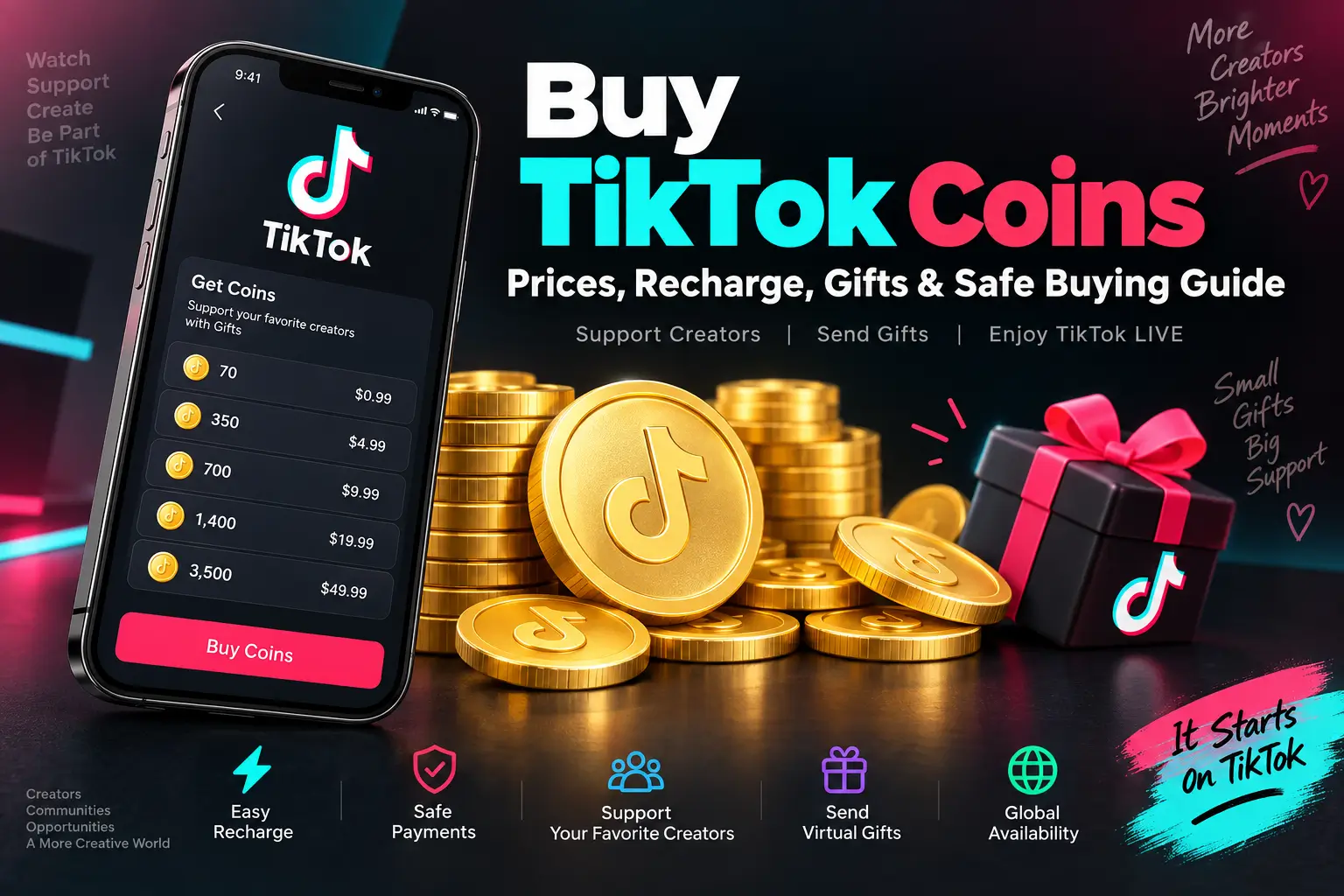
If you want to buy TikTok Coins, the process is usually simple, but the options and prices can be confusing if you are using TikTok for the first time. TikTok Coins are virtual items that can be purchased through supported TikTok purchasing options and used for eligible virtual Gifts and other supported features.
The most important thing to remember is that TikTok Coin prices and purchase options can vary by country, package, payment method, taxes, and where the purchase is made. For that reason, the price shown to you at checkout is the best indication of what you will actually pay.
This guide explains how to buy TikTok Coins, how TikTok recharge works, how Coins relate to Gifts, what can affect the price, and how to avoid suspicious offers.
Quick Answer: How Do You Buy TikTok Coins?
To buy TikTok Coins, open TikTok, go to your Profile, open the menu, select Balance, and look for the option to get or recharge Coins. Choose an available package, review the displayed price, and complete the payment using an available payment method.
Depending on your location, TikTok may also provide a web-based option for purchasing Coins.
The exact buttons and purchasing options can change as TikTok updates its app, so your screen may look slightly different from the steps described in this guide.
What Are TikTok Coins?
TikTok Coins are virtual items used within TikTok’s supported virtual-item system.
Users can purchase Coins and use them for eligible virtual Gifts and other supported TikTok features. When you select an eligible Gift, TikTok shows the Coin amount associated with that Gift before you activate it.
It is useful to think about the system this way:
Purchase Coins → Keep Coins in your balance → Use eligible Coins for Gifts or supported features
TikTok Coins are not the same as ordinary money. They are designed for use within TikTok’s platform and are subject to TikTok’s applicable policies.
Are TikTok Coins the Same as Gifts?
No.
Coins and Gifts are two different things.
TikTok Coins are virtual items purchased by users.
TikTok Gifts are virtual items that can be sent or activated through eligible TikTok features.
For example, you might purchase a Coin package and then use some of those Coins to send a Gift during an eligible LIVE.
This distinction is important because people often search for “TikTok Coins” and “TikTok Gifts” as though they are the same product.
How to Buy TikTok Coins in the TikTok App
For many users, purchasing Coins through the TikTok app is the easiest option.
Step 1: Open TikTok
Launch the TikTok app and sign in to the account you want to use.
Step 2: Open Your Profile
Tap Profile at the bottom of the screen.
Step 3: Open the Menu
Tap the menu button near the top of your profile.
Look for the Balance option.
Step 4: Find the Coin Purchase Option
Open Balance and look for an option such as Get Coins, Recharge, or the equivalent option shown by TikTok.
Step 5: Select a Package
TikTok will display the Coin packages available to your account.
Choose the package you actually need rather than automatically selecting the largest package.
Step 6: Review the Price
Before confirming the purchase, check:
- Number of Coins
- Total price
- Currency
- Payment method
- Account being used
Step 7: Complete the Payment
Follow TikTok’s payment instructions and wait for the transaction to finish.
Once the purchase has been processed, check your Coin balance.
How to Buy TikTok Coins Online
TikTok may offer web-based Coin purchases in supported locations.
The general process is:
- Open TikTok’s supported Coin purchasing page.
- Sign in to the correct account if required.
- Choose an available Coin package.
- Select the recharge option.
- Review the displayed amount.
- Complete the payment.
- Check your TikTok Coin balance.
Web purchasing availability is not identical for every country or account, so do not assume that an option available to another TikTok user will necessarily appear for you.
Is Buying Coins Online Better Than Buying in the App?
There is no universal answer.
The best option depends on what TikTok makes available to your account and which payment method is convenient for you.
| Option | Best For | What to Check |
|---|---|---|
| TikTok App | Mobile users | App-store payment and displayed price |
| TikTok Website | Supported web purchases | Availability and final checkout price |
| Gift Card | Supported markets | Country and redemption restrictions |
Instead of assuming one method is always cheaper, compare the actual final price and Coin amount shown to you.
How Much Do TikTok Coins Cost?
There is no single price that applies to every TikTok user worldwide.
The amount you pay can be affected by:
- Country or region
- Coin package
- Purchase channel
- Applicable taxes
- Currency
- Payment provider
- TikTok’s current pricing
This is why an old blog post or social-media screenshot showing a Coin price may no longer be accurate.
Why Can TikTok Coin Prices Be Different?
Digital purchases can have different pricing depending on the market and purchasing channel.
For example, a user in one country may see a different price from someone in another country. The final amount can also be affected by taxes or payment-provider charges.
The safest way to determine the current cost is to open the supported TikTok purchasing interface for your account and check the price before completing the transaction.
TikTok Coins Price Calculator
If you are trying to understand how much a specific Coin package costs in your local currency, a TikTok Coins Calculator can make the comparison easier.
However, a calculator should be treated as an estimate unless it is connected to current pricing data.
For your actual purchase, always use the price displayed by TikTok at checkout.
Useful internal link:
👉 TikTok Coins Calculator
This page can help users compare Coin amounts, estimate costs, and understand the relationship between Coins and local currency.
How Does TikTok Recharge Work?
“TikTok recharge” simply refers to adding Coins to your TikTok balance through an available purchase method.
A typical flow looks like this:
Profile → Balance → Get Coins → Select Package → Payment → Updated Balance
The exact navigation can change depending on your app version, location, and account.
You can also find recharge options from eligible LIVE experiences where the feature is available.
How to Recharge TikTok Coins During a LIVE
If you are watching a creator’s eligible LIVE, you may see a Gift option.
A typical process is:
- Open the eligible LIVE.
- Tap the Gift button.
- Choose the available recharge option.
- Select a Coin package.
- Complete the payment.
- Return to the LIVE.
Not every LIVE, account, or location necessarily supports the same features.
If you do not see a Gift or recharge option, it may simply mean the feature is unavailable for that particular situation.
How Do TikTok Coins Work With Gifts?
After purchasing Coins, you can use them for eligible virtual Gifts where TikTok supports the feature.
Suppose a particular Gift displays a specific Coin requirement.
When you select and activate that Gift, the applicable number of Coins is deducted from your balance.
This creates a simple relationship:
Coins = virtual balance
Gifts = virtual items you can use with eligible content
LIVE = one of the places where eligible Gifts may be available
The exact Gifts and requirements can change over time.
Are Cheap TikTok Coins Safe?
Searches for cheap TikTok Coins and buy cheap TikTok Coins are common because users naturally want to spend less.
However, you should be careful with websites that promise unusually large discounts.
A very low advertised price does not automatically mean the offer is legitimate.
Before using an unfamiliar website, ask:
- Is the service officially supported?
- Does it ask for your TikTok password?
- Does it request a verification code?
- Is the final price clearly displayed?
- Does it explain how the purchase works?
- Does it make unrealistic claims?
- Can you identify the company behind the service?
If a website asks for your TikTok password or security code to “send Coins” to your account, stop before providing the information.
Avoid Free TikTok Coin Generators
You may encounter websites claiming to generate free or unlimited TikTok Coins.
Treat these claims with caution.
There is no good reason to provide your TikTok login credentials to an unknown “Coin generator.”
Do not install unknown software, browser extensions, or mobile applications simply because they promise free Coins.
You should also be cautious with pages that ask you to complete endless surveys before supposedly delivering Coins.
Protecting your account is more important than chasing an unrealistic offer.
Never Share Your TikTok Password
This is one of the most important safety rules.
A normal Coin purchase should not require you to give an unknown seller your TikTok password.
Never casually share:
- TikTok password
- One-time verification code
- Recovery code
- Email password
- Banking login
- Payment PIN
If an unfamiliar website requests these details, leave the page.
Can You Buy TikTok Coins From Any Website?
No.
The fact that a website appears in search results does not mean it is an official TikTok purchasing channel.
TikTok’s own rules govern how Virtual Items can be purchased and used.
If you want the lowest-risk option, start with TikTok’s own supported purchasing methods for your country and account.
Third-party websites should not be treated as automatically legitimate simply because they use phrases such as “official,” “instant,” or “100% safe” in their marketing.
App vs Website: Where Should You Buy TikTok Coins?
The answer depends on your account and location.
Here’s a practical comparison:
| Factor | TikTok App | TikTok Website |
|---|---|---|
| Convenience | Excellent for mobile users | Convenient on desktop/mobile browser |
| Availability | Depends on region/account | Depends on region/account |
| Payment | Available methods may vary | Available methods may vary |
| Price | Check current checkout price | Check current checkout price |
| Security | Use official TikTok app | Use official TikTok website |
Rather than assuming one method is always better, compare the Coin amount and final price available to you.
Can You Buy TikTok Coins With a Gift Card?
Gift-card options depend on your country and TikTok’s current availability.
In supported markets, TikTok may provide a way to redeem an eligible gift card and use the balance toward supported Coin purchases.
Before buying a gift card, check:
- Whether TikTok gift cards are available in your country
- Whether the card is valid for your region
- Whether redemption is supported
- Any applicable restrictions
Do not buy a region-specific card without checking whether your account can use it.
Who Can Buy TikTok Coins?
TikTok applies age and regional requirements to its Virtual Items system.
In many locations, users generally need to be at least 18 years old, or meet the applicable age-of-majority requirement where higher. Regional rules can differ.
Parents and guardians should also understand that virtual purchases can involve real money.
If an account is not eligible to purchase or use a particular feature, do not try to bypass TikTok’s age or regional restrictions.
What Can You Use TikTok Coins For?
The features available to you depend on TikTok’s current rules and your location.
Supported uses may include:
- Eligible virtual Gifts
- Certain LIVE interactions
- Other supported virtual items or services
TikTok determines which virtual features are available.
Before activating a virtual item, check the Coin requirement displayed on screen.
Can TikTok Coins Be Converted Into Cash?
TikTok Coins should not be treated as cash.
They are virtual items designed for use within TikTok’s supported systems.
Users should not assume that purchasing Coins gives them a cash balance that can be withdrawn like money in a bank account.
This is especially important for people who are new to TikTok’s virtual-item system.
What Happens After You Buy TikTok Coins?
After a successful purchase, the Coins should be associated with the TikTok account used for the transaction.
You can then use them for eligible supported features.
If the transaction is still processing, avoid immediately buying another package.
First confirm the status of the original payment.
What If Your TikTok Coins Don’t Arrive?
If you paid for Coins but do not see them, follow a simple troubleshooting process.
1. Check the Payment
Confirm whether the payment was actually completed.
A pending or failed transaction is different from a completed transaction.
2. Check the Correct Account
Make sure you are signed into the TikTok account that made the purchase.
3. Refresh TikTok
Close and reopen the app and check the balance again.
4. Check Your Transaction Information
Look for the relevant purchase information and confirm the transaction details.
5. Contact TikTok Support
If your payment was completed but the Coins remain missing, use TikTok’s official support channels rather than making another purchase immediately.
Are TikTok Coins Refundable?
Refund rules depend on the purchase method, region, platform, and applicable TikTok terms.
For example, a transaction processed through an app store may be subject to that platform’s refund process.
Before purchasing a large Coin package, check the applicable refund terms for your purchase method.
Common Mistakes When Buying TikTok Coins
Even though purchasing Coins is straightforward, users can make avoidable mistakes.
Mistake 1: Buying From an Unknown Website
A website offering a huge discount may not be trustworthy.
Mistake 2: Giving Away Login Details
Never provide your password or verification code simply to purchase Coins.
Mistake 3: Buying Coins for the Wrong Account
Always check the account before completing the transaction.
Mistake 4: Trusting Old Price Lists
Coin pricing can change. Check the current checkout price.
Mistake 5: Buying Too Many Coins
Choose a package based on your actual needs.
Mistake 6: Ignoring the Final Checkout Amount
Always check the final amount before payment.
How to Buy TikTok Coins Safely: 8-Point Checklist
Before completing your purchase, run through this quick checklist:
✓ Use a TikTok-supported purchasing method
✓ Confirm you are using the correct account
✓ Check the Coin amount
✓ Check the final price
✓ Check the currency
✓ Use a secure payment method
✓ Never share your password
✓ Keep your transaction information
These simple steps can prevent many common purchasing problems.
Buy TikTok Coins: Which Package Should You Choose?
There is no single package that is best for everyone.
Your choice should depend on how frequently you use TikTok’s eligible virtual features.
Occasional User
If you only occasionally send Gifts, a smaller available package may be enough.
Regular LIVE Viewer
If you frequently interact with creators, you may prefer a larger package for convenience.
First-Time Buyer
If this is your first purchase, consider starting with a smaller package so you can understand how Coins and Gifts work before spending more.
The important point is not to buy more simply because a larger package is available.
A Better Way to Compare TikTok Coin Costs
When comparing prices, don’t look at the advertised number alone.
Use this simple approach:
Step 1: Write down the Coin amount.
Step 2: Write down the total purchase price.
Step 3: Compare the cost per Coin if useful.
Step 4: Check whether taxes or payment fees affect the final amount.
Step 5: Compare only purchasing options that are actually available to your account.
This gives you a more meaningful comparison than relying on an old “TikTok Coins price” table.
Related TikTok Coin Guides
If you want to understand TikTok Coins in more detail, these related guides can help:
- TikTok Recharge — Learn how Coin recharge works.
- TikTok Recharge Calculator — Estimate Coin costs.
- Harga Koin TikTok — Explore TikTok Coin pricing information.
- Cara Beli Koin TikTok — Step-by-step purchasing guide.
- Kalkulator Koin TikTok — Calculate and compare Coin amounts.
- Harga 70 Koin TikTok — Learn how to check the current price for a specific Coin amount.
- Top Up Koin TikTok — Understand different recharge options.
These pages should be connected with natural internal links rather than repeating the same article on multiple URLs.
Frequently Asked Questions
What are TikTok Coins?
TikTok Coins are virtual items that can be purchased through supported TikTok purchasing methods and used for eligible virtual Gifts and other supported features.
How do I buy TikTok Coins?
Open TikTok, go to your Profile, access Balance, choose the available Coin purchase or recharge option, select a package, review the price, and complete the payment.
Can I buy TikTok Coins online?
In supported countries and for eligible accounts, TikTok may provide a web-based option for purchasing Coins.
How much do TikTok Coins cost?
The price can vary depending on your country, Coin package, purchase channel, taxes, currency, and other applicable charges. The current checkout price is the best reference.
What is TikTok recharge?
TikTok recharge is the process of adding Coins to your TikTok balance through an available purchasing method.
Can I use TikTok Coins to send Gifts?
Yes. Coins can be used for eligible virtual Gifts where TikTok supports gifting.
Are cheap TikTok Coins safe?
Be careful with unusually cheap offers from unknown websites. Use TikTok-supported purchasing methods whenever possible and never share your password with an unknown seller.
Can I get free TikTok Coins?
Be cautious with websites claiming to provide unlimited free Coins. Never give your login details or verification codes to an unknown Coin generator or website.
Can TikTok Coins be converted into cash?
Coins are virtual items intended for use within TikTok’s supported systems and should not be treated as ordinary cash.
Can I buy TikTok Coins with a gift card?
Gift-card purchasing and redemption availability depends on your country and TikTok’s current supported options.
Why did the TikTok Coin price change?
Pricing can vary by location, package, purchase method, currency, taxes, and TikTok’s current pricing.
What should I do if my Coins don’t appear?
First confirm the payment status and correct TikTok account. If the payment was completed but the Coins are missing, use TikTok’s official support options.
Final Thoughts
Knowing how to buy TikTok Coins is only part of the process. You should also understand how Coins work, how recharge works, how Gifts use Coins, and how pricing can vary.
For the safest experience, use purchasing methods supported by TikTok, check the final price before paying, and make sure you are using the correct account.
Be especially careful with websites advertising free Coins or extremely large discounts. Never give an unknown website your TikTok password, verification code, or other sensitive account information.
If you regularly watch TikTok LIVE streams, a better understanding of Coins, Gifts, and recharge options can help you make more informed purchasing decisions.
Editorial & Pricing Disclaimer
TikTok features, Coin prices, purchasing options, age requirements, virtual-item rules, and availability can change over time and may differ by country. Information in this guide is provided for educational purposes. Always check the current information displayed by TikTok before completing a purchase.
