


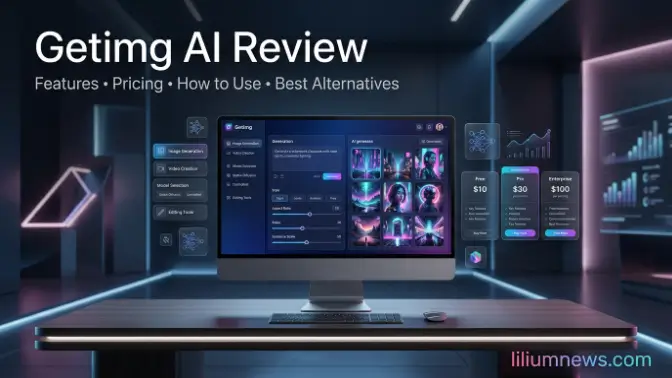
Welcome to liliumnews. Artificial intelligence has transformed the way people create digital images, making professional-quality visuals accessible to everyone. Getimg AI is one of the leading AI-powered image generation platforms, offering tools for creating, editing, and enhancing images with just a text prompt. Whether you’re a designer, marketer, content creator, or business owner, it provides an efficient way to generate high-quality visuals without advanced design skills.
This guide explores everything you need to know about Getimg AI, including its core features, how it works, pricing, and practical use cases. You’ll also learn how to create better AI-generated images, understand the platform’s strengths, and decide whether it’s the right solution for your creative projects.
What Is Getimg AI?
Getimg AI is an AI-powered image generation and editing platform that allows users to create original artwork, marketing graphics, illustrations, and realistic images from simple text descriptions. Built around advanced generative AI technology, it combines multiple creative tools into one platform, making image creation faster and more accessible. Unlike many AI image generators that focus only on text-to-image generation, Getimg AI also includes editing features such as inpainting, outpainting, image expansion, background removal, image upscaling, and custom AI model training.
Overview of Getimg AI
Getimg AI brings together several AI-powered tools in a single workspace. Instead of switching between different applications for generating, editing, and improving images, users can complete their entire workflow within the platform.
Key capabilities include:
- AI text-to-image generation
- AI image editing
- Background removal
- AI Canvas for expanding images
- Image upscaling
- Custom AI model training
- DreamBooth personalization
- API access for developers
The platform supports multiple AI models, giving users greater control over image style, quality, and creativity.
Who Is Getimg AI Designed For?
Getimg AI serves a wide range of users, including: Built around advanced generative AI technology, it combines multiple creative tools into one platform, making image creation faster and more accessible. Unlike many AI image generators that focus only on text-to-image generation, Getimg AI also includes editing features such as inpainting, outpainting, image expansion, background removal, image upscaling, and custom AI model training.
This guide explores everything you need to know about Getimg AI, including its core features, how it works, pricing, and practical use cases. You’ll also learn how to create better AI-generated images, understand the platform’s strengths, and decide whether it’s the right solution for your creative projects.
Read also: Gemini AI photo prompt: Best Free Prompts (2026)
Key Features of Getimg AI
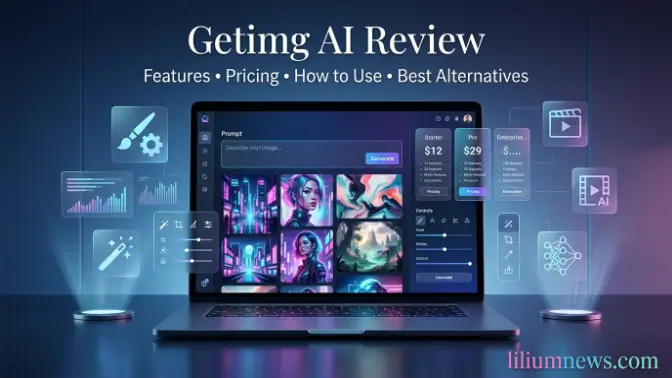
One of Getimg AI‘s biggest strengths is its comprehensive set of creative tools. Rather than focusing on a single function, the platform supports image creation, editing, enhancement, and customization within one interface. This guide explores everything you need to know about Getimg AI, including its core features, how it works, pricing, and practical use cases. You’ll also learn how to create better AI-generated images, understand the platform’s strengths, and decide whether it’s the right solution for your creative projects.
AI Text-to-Image Generation
The platform’s primary feature converts written prompts into high-quality AI-generated images. This guide explores everything you need to know about Getimg AI, including its core features, how it works, pricing, and practical use cases. You’ll also learn how to create better AI-generated images, understand the platform’s strengths, and decide whether it’s the right solution for your creative projects. Users simply describe the image they want, and the AI produces multiple variations within seconds.
Examples include:
- Digital illustrations
- Realistic portraits
- Fantasy artwork
- Product mockups
- Anime-style art
- Concept art
- Architectural designs
- Social media graphics
The quality of the generated image largely depends on the prompt. Detailed descriptions generally produce more accurate and visually appealing results.
Background Removal
Removing backgrounds manually can be time-consuming. This guide explores everything you need to know about Getimg AI, including its core features, how it works, pricing, and practical use cases. You’ll also learn how to create better AI-generated images, understand the platform’s strengths, and decide whether it’s the right solution for your creative projects. Getimg AI automates this process, allowing users to isolate subjects with a single click.
Common uses include:
- Product photography
- Profile pictures
- E-commerce listings
- Marketing graphics
- Presentation slides
- Social media content
The AI accurately detects the main subject and removes the surrounding background, producing clean and professional results.
Custom AI Models
A standout feature of Getimg AI is its ability to create custom AI models tailored to specific artistic styles or branding requirements. This guide explores everything you need to know about Getimg AI, including its core features, how it works, pricing, and practical use cases. You’ll also learn how to create better AI-generated images, understand the platform’s strengths, and decide whether it’s the right solution for your creative projects. Instead of relying solely on general-purpose models, users can train the AI to generate images that match a consistent visual identity.
This is particularly valuable for:
- Companies maintaining brand consistency
- Artists developing signature styles
- Agencies producing recurring creative assets
- Game developers creating themed artwork
Custom models help reduce editing time by generating images that closely align with a user’s desired aesthetic from the start.
DreamBooth Model Training
DreamBooth enables users to personalize AI models using their own images. This guide explores everything you need to know about Getimg AI, including its core features, how it works, pricing, and practical use cases. You’ll also learn how to create better AI-generated images, understand the platform’s strengths, and decide whether it’s the right solution for your creative projects. After training, the AI can generate new images featuring a specific person, product, object, or style while preserving key characteristics.
Common applications include:
- Personalized character creation
- Product visualization
- Brand asset generation
- Consistent marketing campaigns
- Custom illustrations
This feature is especially useful for businesses and creators who need unique, recognizable visuals across multiple projects.
Batch Image Generation
Creating images one at a time can slow down large creative projects. This feature is especially useful for businesses and creators who need unique, recognizable visuals across multiple projects. Getimg AI‘s batch generation feature allows users to produce multiple images simultaneously from a single prompt or a set of prompt variations.
Advantages include:
- Faster content production
- Multiple design options
- Efficient campaign creation
- Improved workflow for agencies
- Reduced repetitive work
Batch generation is ideal for social media campaigns, advertising creatives, and large-scale content production where multiple image variations are required.
API for Developers
Developers can integrate Getimg AI‘s image generation capabilities directly into websites, mobile apps, and business workflows using its API. This feature is especially useful for businesses and creators who need unique, recognizable visuals across multiple projects. Batch generation is ideal for social media campaigns, advertising creatives, and large-scale content production where multiple image variations are required.
Typical use cases include:
- AI-powered design tools
- Automated content generation
- Creative SaaS platforms
- E-commerce applications
- Marketing automation
- Custom business solutions
The API enables businesses to automate image creation while maintaining consistent quality across applications.
How to Use Getimg AI Step by Step
Getting started with Getimg AI is quick and beginner-friendly. First, create an account on the official website and access the dashboard. From there, choose the AI tool that matches your needs, such as Text-to-Image for generating images from prompts, Image-to-Image for transforming existing visuals, or editing tools like Inpainting, Outpainting, and AI Canvas. Once you’ve selected a tool, enter a detailed prompt describing the image you want, including the subject, style, lighting, colors, and other important details to achieve the best results.
Step 1: Create an Account
After visiting the official Getimg AI website, the first step is to create an account using your email address or a supported login option like Google. The sign-up process is simple and takes only a few minutes. Once your account is verified, you’ll gain access to the Getimg AI dashboard, which serves as the central hub for all the platform’s AI-powered tools and features.
Inside the dashboard, you can explore tools for generating images from text prompts, editing existing images, expanding artwork with AI Canvas, removing backgrounds, and enhancing image quality. New users also receive free credits, allowing them to test the platform and create AI-generated images before deciding whether to upgrade to a paid plan. This makes it easy to familiarize yourself with the platform and discover the features that best suit your creative needs.
Step 2: Choose a Generation Mode
Choose the Getimg AI feature that best suits your creative project. The platform offers several AI-powered tools designed for different tasks, so selecting the right one helps you achieve better results more efficiently. Whether you want to create a new image from a text prompt, edit an existing image, or improve image quality, Getimg AI provides a dedicated tool for each purpose.
- Text-to-image generation
- Image-to-image transformation
- AI Canvas
- Inpainting
- Outpainting
- Image editing
Choosing the right mode ensures the AI uses the appropriate workflow for your creative task.
Step 3: Write an Effective Prompt
Your prompt is the most important factor in determining the quality of the images generated by Getimg AI. A prompt acts as an instruction for the AI, telling it exactly what you want to create. The more detailed and specific your description is, the more accurate and visually appealing the final image will be. Instead of using short or vague phrases, include details such as the subject, artistic style, lighting, colors, composition, camera angle, background, and image quality.
A strong prompt should include:
- Main subject
- Artistic style
- Lighting
- Camera angle (if applicable)
- Color palette
- Background details
- Quality descriptors
Example Prompt
A modern Scandinavian living room with natural sunlight, wooden furniture, indoor plants, minimalist interior design, ultra-realistic, high detail, 8K.
The more specific your description, the more accurately the AI can interpret your vision.
Step 4: Generate Images
Once you’ve finished writing your prompt, click the Generate button to let Getimg AI create your image. Within a few seconds, the AI analyzes your prompt and generates one or more image variations based on the details you provided. Each variation may differ slightly in composition, style, lighting, or perspective, giving you multiple options to choose from.
Carefully review the generated images and select the one that best matches your vision. If the results aren’t exactly what you expected, don’t worry simply refine your prompt by adding more details or adjusting specific elements, then generate the images again. Experimenting with different prompts, styles, and settings is one of the best ways to improve image quality and achieve more accurate, professional-looking results.
Step 5: Edit and Download
After selecting the image that best meets your needs, you can use Getimg AI’s built-in editing tools to make any final improvements. Features such as Inpainting allow you to remove or replace unwanted objects, while Outpainting and AI Canvas help expand the image beyond its original borders. You can also upscale the image to increase its resolution, remove or change the background, and refine specific details to achieve a polished, professional result.
Once you’re satisfied with the final image, download it in your preferred format and use it for your intended project. Whether you’re creating content for social media, marketing campaigns, websites, presentations, or personal artwork, Getimg AI makes it easy to produce high-quality visuals with minimal editing effort. Before using the image commercially, be sure to review the licensing terms included with your subscription plan.
Common Mistakes to Avoid
Although Getimg AI is easy to use, achieving high-quality results requires more than simply entering a prompt and generating an image. Common mistakes, such as using vague descriptions, selecting the wrong AI model, or overlooking editing tools, can reduce the accuracy and overall quality of the generated images. Learning to recognize and avoid these issues will help you produce visuals that better match your creative vision. Taking the time to write detailed prompts, test different AI models, adjust generation settings, and refine images with built-in editing features can make a noticeable difference in the final output.
Using Vague Prompts
One of the most common mistakes when using Getimg AI is writing short or vague prompts that lack important details. For example, a prompt like “beautiful landscape” gives the AI very little information about what you want to create, making the output more generic and less likely to match your expectations. Since AI relies on your instructions, unclear prompts often result in inconsistent or inaccurate images.
To achieve better results, write detailed prompts that describe the subject, artistic style, lighting, colors, background, composition, and any other important elements. For instance, instead of “beautiful landscape,” you could write “A peaceful mountain landscape at sunrise with a crystal-clear lake, pine trees, golden sunlight, cinematic lighting, ultra-realistic, 8K resolution.” Providing clear and specific instructions helps Getimg AI generate more accurate, visually appealing, and professional-quality images.
Ignoring Negative Prompts
Another common mistake is overlooking negative prompts, which tell Getimg AI what you don’t want to appear in the generated image. While a regular prompt describes the desired subject and style, a negative prompt helps eliminate unwanted elements such as blurry details, distorted faces, extra limbs, poor lighting, text, watermarks, or low-quality artifacts. Without negative prompts, the AI may include imperfections that reduce the overall quality of the image.
Using well-crafted negative prompts can significantly improve the clarity and accuracy of your results. For example, adding terms like “blurry, low quality, distorted face, extra fingers, watermark, text, noise, cropped, duplicate objects” instructs the AI to avoid these issues during image generation. Combining detailed prompts with effective negative prompts helps produce cleaner, more realistic, and professional-looking images while reducing the need for additional editing.
Choosing the Wrong AI Model
Getimg AI offers multiple AI models, each designed to perform well for specific types of image generation. Some models are optimized for creating realistic photographs, while others produce better results for digital illustrations, anime-style artwork, concept art, or artistic paintings. Choosing the wrong model for your project may result in images that don’t match your desired style or level of detail.
Before generating your image, take a moment to select the AI model that best suits your creative goals. If the initial results aren’t satisfactory, try switching to a different model and generate the image again using the same prompt. Experimenting with multiple models is an effective way to discover which one delivers the highest-quality output for your specific use case, helping you achieve more accurate and visually appealing results.
Skipping Image Editing
Many users download the first image generated by Getimg AI without making any adjustments. While the initial result may be impressive, it isn’t always perfect. Small issues such as unwanted objects, incorrect backgrounds, minor distortions, or missing details can often be improved using the platform’s built-in editing tools. Skipping this step may result in an image that doesn’t fully match your original vision or quality expectations.
To achieve the best possible results, take advantage of features like Inpainting, Outpainting, AI Canvas, and Image Upscaler to refine your images before downloading them. These tools allow you to remove or replace unwanted elements, expand the image, improve resolution, and make precise adjustments without starting over. Spending a few extra minutes Technology on editing can significantly enhance the overall quality, giving your images a more polished and professional appearance.
Not Experimenting with Prompts
One of the biggest mistakes users make is settling for the first image generated by Getimg AI. AI image generation is an iterative process, and even small adjustments to your prompt can produce significantly different results. If the initial image doesn’t match your expectations, don’t hesitate to refine your prompt by adding more descriptive details, changing the artistic style, or modifying elements such as lighting, colors, or composition.
You can also experiment with style keywords, different AI models, aspect ratios, and generation settings to discover what works best for your project. Testing multiple variations not only improves image quality but also gives you more creative options to choose from. With a little experimentation, you can consistently create more accurate, visually appealing, and professional-quality AI artwork that closely matches your original vision.
Is Getimg AI Worth It?
Getimg AI is an excellent choice for anyone looking to create high-quality AI-generated images quickly and efficiently. Its combination of text-to-image generation, advanced editing tools, custom AI models, and developer-friendly API makes it a versatile platform for beginners and professionals alike. The intuitive interface and wide range of creative features allow users to complete entire image creation workflows without switching between multiple applications.
While the free plan offers a good introduction to the platform, users with higher image-generation needs may benefit from upgrading to a paid subscription for additional credits and advanced features. Overall, Getimg AI provides a strong balance of ease of use, creative flexibility, and powerful AI capabilities, making it one of the best AI image generation platforms available for content creators, marketers, designers, and businesses.
Frequently Asked Questions
Is Getimg AI free to use?
Yes, Getimg AI offers a free plan that includes a limited number of credits, allowing users to generate and edit AI images without paying. Users who require more credits or advanced features can upgrade to one of the paid subscription plans.
Can I use Getimg AI images for commercial purposes?
Yes, commercial usage is generally available, depending on your subscription plan and Getimg AI’s licensing terms. Always review the latest licensing policy before using AI-generated images for business, advertising, or client projects.
Does Getimg AI use Stable Diffusion?
Yes. Getimg AI is built around Stable Diffusion technology and supports multiple AI models, enabling users to generate a wide variety of image styles while offering advanced customization options.
Can I train my own AI model in Getimg AI?
Yes. Getimg AI allows users to create custom AI models using DreamBooth training. This feature is ideal for generating consistent images of specific people, products, characters, or artistic styles.
Is Getimg AI better than Midjourney?
The answer depends on your needs. Midjourney is known for producing highly artistic and visually striking images, while Getimg AI offers a more complete workflow with built-in image editing, AI Canvas, custom model training, and API access. Users who need both image generation and editing tools in one platform may find Getimg AI to be the more practical choice.
Conclusion
Getimg AI is a powerful and versatile AI image generation platform that combines text-to-image creation, advanced editing tools, image enhancement, and custom AI model training in one easy-to-use interface. Whether you’re a content creator, marketer, designer, developer, or business owner, the platform offers everything you need to create high-quality visuals quickly and efficiently. Its intuitive design, flexible features, and support for multiple AI models make it suitable for both beginners and experienced users.
By writing detailed prompts, selecting the right AI model, using negative prompts, and taking advantage of editing tools like Inpainting, Outpainting, AI Canvas, and Image Upscaler, you can consistently produce professional-quality images. While the free plan is a great way to explore the platform, upgrading to a paid plan may be worthwhile for users with higher image-generation needs. Overall, Getimg AI is an excellent choice for anyone looking to streamline their creative workflow and produce impressive AI-generated artwork with minimal effort.
